Best Smart DVD Players With WiFi for Modern Home Entertainment
Discover the best smart DVD players with built-in WiFi that bring streaming apps, easy setup, and upscaled video to your TV. This guide highlights five models that combine reliable disc playback with wireless connectivity, helping you bridge legacy media with modern streaming.
Summary of Selected Products:
- Samsung Blu-ray Disc Player with Built-in Wi‑Fi
- Sony BDP-BX370 Streaming Blu-ray DVD Player with Wi‑Fi
- Sony Wi‑Fi Upgraded Multi Region Blu-ray/DVD Player
- Supersonic SC-3226SDVD 32-inch LED Smart HDTV with DVD Player and WiFi
- Supersonic SC-1926DVD 19-inch LED Smart HDTV with DVD Player and WiFi
Samsung Blu-ray Player With Built‑In Wi‑Fi
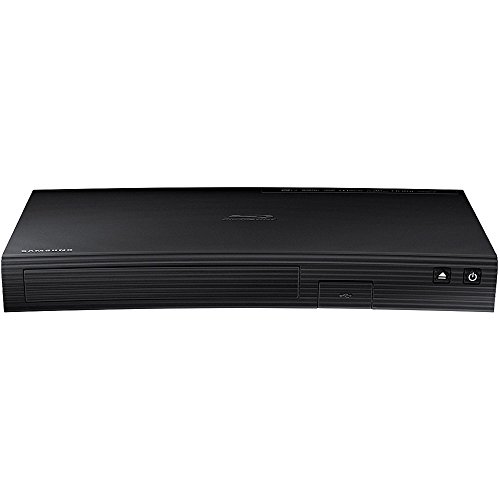
The Samsung Blu-ray DVD Disc Player delivers full HD 1080p playback via HDMI and includes built-in Wi‑Fi for streaming. It upsamples DVDs to near-HD quality for improved clarity and detail. With Samsung AllShare compatibility, it can share content across devices, and the built-in Wi‑Fi enables wireless access to apps and services. This model is a practical choice for households seeking a single device to play discs and stream content without a smart TV.
Sony BDP‑BX370 Streaming Blu-ray DVD Player

Sony’s BDP‑BX370 combines Blu-ray and DVD playback with built-in Wi‑Fi for streaming. It supports upscaling to near-1080p quality and can mirror screen content from a smartphone to the TV, enhancing viewing flexibility. The included HDMI cable simplifies setup, delivering a clean, single-cable connection to your display. It’s a compact option for users who want reliable disc playback plus wireless streaming without a separate streaming device.
Sony Wi‑Fi Upgraded Multi Region Blu Ray DVD Player

This Sony model emphasizes versatility with multi-region playback (A, B, C and 0–6 zones) plus built‑in Wi‑Fi. It supports streaming services and standard network connectivity, making it suitable for users who want global Blu-ray compatibility and wireless access to apps. The package includes essential ports (HDMI, Ethernet, USB) to integrate with most home theater setups, without compromising on disc performance.
MEGATEK Region‑Free HDMI DVD Player

Note: This MEGATEK model supports 1080p HDMI upscaling and multi‑region playback for DVDs, plus broad format compatibility. It is a solid option for households that emphasize region‑free playback and DVD upscaling, though it does not include Blu-ray support. For users focusing on classic discs with improved picture quality, it provides a straightforward, compact solution with remote control and essential cables included.
Supersonic SC-3226SDVD 32-Inch LED Smart HDTV

This 32-inch LED smart HDTV combines a high-definition display with an integrated DVD player and built‑in WiFi. It features three HDMI inputs, 1080p resolution, and a wide viewing angle for comfortable viewing. The included streaming capability expands entertainment options beyond physical media, making it convenient for family rooms, kitchens, or small living spaces where a single unit handles both TV and media playback.
Buying Guide: Key Considerations For Smart DVD Players With WiFi
- Video quality and upscaling: Look for units that upscale DVDs to near‑HD or 1080p when connected via HDMI. This enhances older discs without requiring a new Blu-ray collection.
- WiFi and streaming apps: Ensure the model supports reliable WiFi connectivity and provides access to popular streaming services. Some devices also offer screen mirroring or mobile‑to‑TV casting.
- Disc formats and region support: If you own DVDs from multiple regions, a region‑free or multi‑region player is valuable. Check compatibility with DVD-R/RW, CD, and MP3/JPEG formats for multimedia flexibility.
- Connectivity options: HDMI output is essential for modern TVs. Additional ports (USB, Ethernet, Coax) improve integration with external storage, sound systems, and home networks.
- Smart features and user experience: A user-friendly interface, quick app launch, and remote control quality influence daily use. Some models pair with smart TVs for extended functionality.
- Size and placement: Consider the device’s footprint, especially when pairing with a 32–40 inch TV or in compact rooms. Standalone DVD players can sit near the TV or in a media cabinet.
- Included accessories: HDMI cables, remote controls, and cables are helpful for quick setup. Some bundles include extra items like HDMI cables, remotes, or mounting accessories.
- Reliability and support: Look for brands with a track record of stable firmware updates and accessible customer support in case of connectivity or playback issues.
Each option above provides a blend of disc playback and wireless capability, with varying emphasis on streaming performance, region compatibility, and display quality. When selecting, weigh how often you use physical discs versus streaming, the size of your viewing space, and whether you need multi-region playback or a simple, compact setup.