Best USB to 1/4 Inch TRS Cables for Music and Recording
Discover the best USB to 1/4 inch TRS cables for connecting computers, audio interfaces, guitars, and speakers. This guide highlights five reliable options, each suited to different users—from home studio setups to everyday listening. Whether you need USB to 1/4 inch for recording, DJ gear, or live sound, these picks offer clear compatibility, sensible DAC performance, and practical limitations to consider before buying.
| Product | Best For | Notes |
|---|---|---|
| MOSWAG USB to 1/4″ Audio Cable | Home studios and external mics | Great DAC, broad compatibility; not for console gaming |
| KAYQINHO USB C to 1/4″ TRS Stere Audio Cable | _mobile devices to gear | USB-C to TRS; ideal for phones and laptops |
| AILKIN USB to 3.5mm Audio Cable | Headphones and portable use | USB-A to 3.5mm; audio only; plug & play |
| KAYQINHO USB C to Dual 1/4″ Audio Cable | Mixers and speakers | Dual TS outputs; not for recording |
| XMSJSIY USB A to 6.35mm Audio Cable | Dual output to amps or speakers |
MOSWAG USB to 1/4 Inch Audio Cable

The MOSWAG USB to 1/4″ TRS cable is designed for direct USB computer connections to 1/4″ audio devices. It includes a built-in DAC for broad computer compatibility without drivers. This makes it suitable for recording with PCs or Macs and using with stage or studio gear. Best for: home studios, podcasters, and musicians who need a straightforward USB-to-TRS path for external mics, guitars, or subs. Caution: not compatible with gaming consoles like Xbox or RockSmith as listed in compatibility notes.
KAYQINHO USB C to 1/4 Inch TRS Audio Cable

This USB-C to 1/4″ TRS cable is aimed at mobile and laptop users who want to feed a 6.35mm input like a mixer, speaker, or amplifier. It uses a built-in DAC to deliver 16-bit/48kHz sound, with a 24K gold-plated connector and oxygen-free copper for quality signal transmission. Best for: phones and laptops connecting to high-fidelity audio gear. Choose this if you primarily need a USB-C to TRS link for playback rather than recording. Limitation: no recording support is stated.
AILKIN USB A to 3.5mm Audio Cable

The AILKIN USB to 3.5mm TRS adapter converts USB-A output to a 3.5mm jack with a DAC for high-fidelity sound. It is a simple plug-and-play solution for listening, not designed for recording or device control. Best for: personal listening with USB-powered setups, headphones, or compact speakers. Caution: it does not support microphone input or remote control features, nor does it work for certain TVs or game consoles in some setups.
KAYQINHO USB C to Dual 1/4 Inch Audio Cable
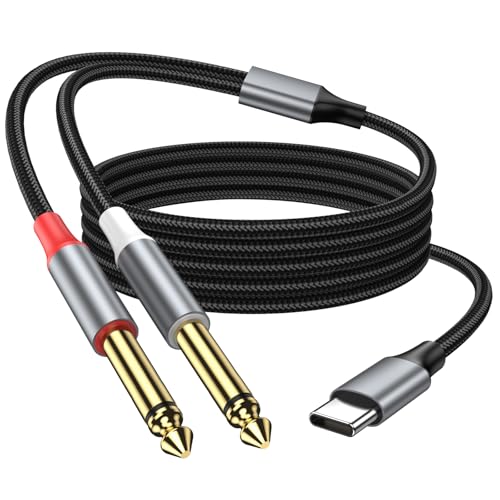
This cable provides USB-C to dual 6.35mm TS outputs, ideal for connecting a USB-C device to two separate 1/4″ inputs on mixers or speakers. It features a built-in DAC and claims Hi-Fi sound with a wide soundstage. Best for: multi-channel playback or feeding two separate outputs from a USB-C device. Limitation: designed for output; it does not support recording functionality.
XMSJSIY USB A to 6.35mm Audio Cable

The XMSJSIY option uses a USB-A to 6.35mm connection with a DAC to deliver high-fidelity sound to devices with a 6.35mm jack. The product advertises a dual 1/4″ output and a robust braided build for durability. Best for: connecting USB devices to amps or speakers that accept 6.35mm inputs. Caution: not intended for 6.35mm to USB-C recording paths; check device compatibility for recording needs.
Buying Guide
What to consider when choosing a USB to 1/4″ TRS cable
- Connection direction: USB-A or USB-C, and whether you need a single TRS or dual outputs.
- Recording capability: some cables support only playback, others may enable or require specific software for recording.
- DAC quality: built-in DACs influence sound clarity and fidelity; higher-end DACs generally reduce noise and distortion.
- Compatibility: verify which devices (PC, Mac, smartphone, mixer, speaker) the cable supports and any OS limitations.
- Durability: look for braided cables and protective jack interfaces if you plan to travel or perform live.
- Best use case: choose based on whether you need simple listening, multi-output routing, or studio recording.
Practical buy-use scenarios
- Best for recording: MOSWAG cable with DAC for computer recording, especially if you work with guitars or mics.
- Best for mobile-to-studio setups: KAYQINHO USB C to 1/4″ TRS for devices with USB-C ports.
- Best for listening on the go: AILKIN USB A to 3.5mm for quick, plug-and-play audio.
- Best for dual-channel outputs: KAYQINHO USB C to Dual 1/4″ for mixers and stage setups.
- Best for versatile 6.35mm connections: XMSJSIY USB A to 6.35mm with dual outputs for amps or PA systems.
FAQ
- Do these cables require drivers? Answer: Most are designed to work with built-in DACs and do not require extra drivers, but some devices may need OS compatibility checks.
- Can I use USB-C to 1/4″ for recording? Answer: Some models advertise recording capability; verify the product notes to ensure it supports recording on your device.
- Is a DAC necessary for good audio quality? Answer: Built-in DACs improve signal conversion and can reduce noise, especially when converting from digital USB to analog audio.
- Are these cables compatible with gaming consoles? Answer: Some entries list compatibility exclusions; check the item’s attention notes for gaming console support.
- Which cable is best for two outputs? Answer: The USB-C to Dual 1/4″ (TS) model provides two separate 1/4″ outputs for simultaneous feeds to two devices.
- Do these cables work with smartphones? Answer: USB-C to TRS cables are designed for devices with USB-C ports; check device compatibility and OS support for iOS or Android.