Best Software for Writing Music: Top Tools for Notation, DAW, and Production
Answering the question “What software should I use to write music?” this guide highlights five widely used tools for composition, notation, and production. It helps composers, students, and hobbyists choose software that fits their workflow—whether you focus on notation, beat making, or full production. The following selections balance professional features with approachable interfaces, making them suitable for various experience levels and use cases. The short summary table below compares key aspects to help you decide quickly.
| Product | Best For | Platform | Type |
|---|---|---|---|
| Sibelius Ultimate Music Notation Software | Professional notation and engraving | Windows, macOS | Notation software |
| Digital Audio Workstation USB for Windows & macOS | All-around music production and beat making | Windows, macOS | DAW suite |
| MixPad Free Multitrack Recording Studio | Beginner to mid-level multitrack mixing | Windows, macOS | Audio mixer |
| MUSIC MAKER 2026 Premium | Quick music creation with loops | Windows | Music production software |
| Music Studio 12 | Editing, converting, and mixing audio | Windows | Audio editing suite |
Sibelius Ultimate Music Notation Software

Sibelius Ultimate is a professional notation tool designed for serious score creation and publishing. Best for composers, arrangers, and educators who need precise engraving, robust notation features, and reliable updates. This version includes a 1-year subscription license and access to upgrades through the included support plan, ensuring you stay current with feature releases. A Magnetic Glissando feature offers smooth input for guitar and other instrument parts, which can speed up workflow when arranging complex scores.
Best for: professional composers and music educators who require advanced notation and reliable updates. Limitations: as a notational specialist, it may be more complex than needed for casual hobbyists.
Digital Audio Workstation USB for Windows & macOS

This complete music production suite functions as a versatile DAW with support for Windows and macOS. It includes virtual instruments, synthesizers, effects, MIDI tools, and VST plugin compatibility. It’s best for developers, producers, and beat-makers who want an all-in-one solution for composing, arranging, mixing, and mastering in a familiar Windows or Mac environment. Caution: setup and navigation may be richer and longer for first-time DAW users; consider a brief tour or guide.
MixPad Free Multitrack Recording Studio

MixPad is a practical multi-track mixer designed for quick, accessible projects. It’s best for beginners and hobbyists who want to record and layer audio tracks with ease, apply effects, and perform edits efficiently. The software emphasizes straightforward workflows, making it easier to complete demos and rough mixes without a steep learning curve. Limitation: the free version may have feature caps compared to paid alternatives, so consider needs beyond basic mixing.
MUSIC MAKER 2026 Premium

Music Maker 2026 Premium focuses on fast, drag-and-drop composition with a large library of loops, sounds, and virtual instruments. Best for beginners and casual producers who want to craft full tracks quickly, with the ability to compose from scratch using MIDI and virtual instruments. Choice is supported by an easy interface and a broad loop-based workflow. Caution: some users may outgrow loop-based workflows and seek deeper MIDI editing and scoring options.
Music Studio 12
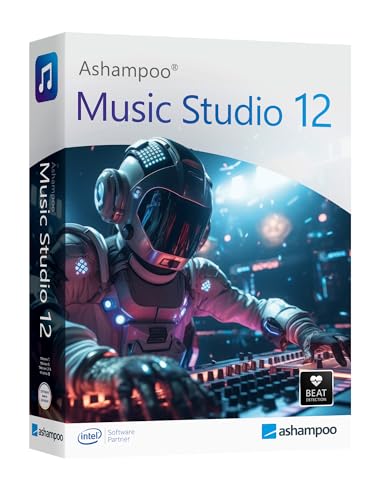
Music Studio 12 offers editing, converting, and mixing capabilities suitable for Windows users who require a consolidated audio toolkit. It’s best for users seeking a reliable all-in-one solution to manage audio files, perform edits, and create mixed outputs for various projects. Limitation: Windows-only availability may limit users on macOS, and some advanced mastering features may be less comprehensive than higher-end suites.
Buying Guide
Key purchase considerations to help you choose the right music software:
- Intended use: Notation vs. production vs. mixing. If you primarily need notation, Sibelius Ultimate is a strong professional choice. For full production, consider a DAW like the Digital Audio Workstation USB or robust production suites like MUSIC MAKER 2026 Premium.
- Platform compatibility: Check whether the software supports your computer OS and version (Windows vs. macOS). Some options are Windows-only, others run on both platforms.
- Learning curve: Beginners may prefer solutions with intuitive interfaces and abundant tutorials (MixPad or Music Maker 2026 Premium). Professionals may value advanced engraving or plugin ecosystems (Sibelius or DAW with VST support).
- Licensing model: Consider subscription versus perpetual licenses. Perpetual licenses are one-time purchases, while subscriptions include ongoing updates and support.
- Library and instrument options: Look for included loops, virtual instruments, effects, and compatibility with third-party plugins to extend capabilities.
- Output needs: If you plan to publish scores, engraver quality and export formats matter. If you’re producing tracks, mastering tools and export options matter more.
Frequently Asked Questions
- What software is best for notation and score writing?
For professional notation, Sibelius Ultimate is widely used for engraving quality and publishing features. It suits composers and educators who require precise score layout.
- Can I use a single tool for both notation and DAW tasks?
Some DAWs support notation entry and MIDI composition, but dedicated notation software like Sibelius often provides more advanced engraving. A combination of notation software and a DAW is common for full workflows.
- Is a subscription better than a perpetual license?
Subscriptions provide ongoing updates and support; perpetual licenses offer a one-time cost. Choose based on how often you update and whether you value the latest features.
- Do these programs support third-party plugins?
Many DAWs support VST plugins and additional effects. Check each product’s plugin compatibility if you rely on specific third-party instruments.
- Are there free alternatives for beginners?
Yes, several free or low-cost options exist that cover multitrack recording and basic notation. However, these may have limited features compared with paid products.
- Which option is best for students?
Student-focused licenses (like Sibelius Student version) provide budget-friendly access for schools and individuals, often with similar feature sets tailored to education.