Best Digital Audio Out to Aux Adapters for TV and Home Audio
Need a reliable way to convert digital optical audio to a 3.5mm AUX connection? These adapters translate SPDIF/TOSLINK signals into analog sound for speakers or headphones. They’re ideal for TV owners who want to reuse existing AUX gear, headset users seeking simpler setups, or music enthusiasts upgrading legacy audio paths. The top options below are aimed at different use cases, from compact, single-direction converters to feature-rich DACs that offer higher fidelity at 192 kHz/24-bit. The following table highlights the key picks to help you compare at a glance.
| Product | Best For | Notes |
|---|---|---|
| Tackston 192KHz Optical to 3.5mm Converter | TV sound out to headphones or AUX speakers | Compact; unidirectional optical to AUX; 192 kHz/24-bit |
| PROZOR 192KHz DAC Optical to RCA + 3.5mm | Better for hi-fi setups needing RCA plus 3.5mm | Dual outputs; PCM compatibility notes; 192 kHz/24-bit |
| Tackston (Second Model) 192KHz Optical to 3.5mm | TVs with missing AUX ports | Simple optical-to-AUX path; 192 kHz/24-bit |
| ESWN DNXB 192KHz Optical to 3.5mm | Budget-friendly optical-to-aux | Optical to 3.5mm; 192 kHz/24-bit; 5 ft cable option |
| All-in-one DAC with Optical to Analog | Multi-output flexibility | Optical to analog; 192 kHz/24-bit; note on PCM |
Tackston 192KHz Optical to 3.5mm Converter

The Tackston Optical to AUX converter translates optical SPDIF signals into a standard 3.5mm analog output. It is best for TV owners who want to connect AUX speakers or headphones to a TV’s optical output. This model supports sample rates up to 192 kHz/24-bit, with optical inputs at 32, 44.1, 48, 96, and 192 kHz. It is unidirectional (optical to analog), so it cannot convert analog to optical. The main limitation is that TV remote control volume may not affect playback; volume adjustment must be done on the playback device itself. Ideal for: users who need a simple, compact optical-to-AUX path for a TV and compatible headphones or powered speakers.
Best for: TV-to-AUX listening with minimal setup and portable use.
Limitations: No volume control from TV remote; directional only (Digital → Analog).
PROZOR 192KHz Digital to Analog DAC (Optical to RCA and 3.5mm)

PROZOR’s DAC converts digital PCM signals from coaxial or Toslink to analog left/right RCA and a 3.5mm jack simultaneously. It’s designed for setups that require multiple analog outputs, such as routing TV audio to both a home theater amplifier and personal headphones. It supports standard sample rates up to 192 kHz/24-bit. Practical guidance includes setting the TV audio output to PCM and adjusting volume on the playback device, not on the TV. This model is suited for users who want robust DAC performance and dual-output flexibility.
Best for: Users who need both RCA and 3.5mm outputs and clearer audio via a dedicated DAC.
Limitations: Settings management can be TV-dependent; ensure PCM mode is selected on the TV.
Tackston Optical to 3.5mm (Second Model)

This Tackston unit is designed for TVs lacking convenient AUX ports. It reliably transfers audio from the TV’s optical output to a 3.5mm AUX input on speakers or headphones. It shares the same 192 kHz/24-bit capability and notes about TV remote volume control. It is best for buyers who want a straightforward optical-to-AUX bridge without extra outputs.
Best for: TV owners who want to repurpose existing AUX speakers without extra cables.
Limitations: No remote volume control; single-output path.
ESWN DNXB 192KHz Optical to 3.5mm
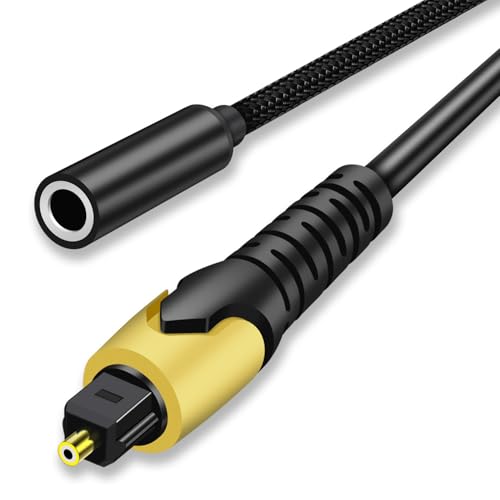
ESWN DNXB offers a budget-friendly option for converting optical SPDIF to an analog 3.5mm output. It supports 192 kHz/24-bit sampling and accepts optical inputs at common sampling rates. The product emphasizes precise audio details to enhance the listening experience. It’s best for users who want a cost-effective path from TV optical to AUX without added features. A caution is to ensure the TV outputs PCM/Stereo to avoid compatibility issues.
Best for: Budget-conscious buyers seeking a basic optical-to-AUX conversion.
Limitations: Fewer output options and settings customization.
Buying Guide: Choosing The Right Optical To Analog Adapter
What should you consider when picking an optical-to-aux adapter? Here are practical questions and answers to help buyers compare features and make a confident choice.
- What outputs do I need? If you only need 3.5mm, a simple optical-to-aux is enough. If you want multiple analog outputs (RCA and 3.5mm), choose a DAC with dual outputs like PROZOR.
- Is volume control on the TV important? Many adapters do not pass through TV remote volume commands. Plan to adjust volume on the playback device or use a device with its own volume control.
- What sampling rate and bit depth are required? Look for devices supporting up to 192 kHz/24-bit for high-resolution audio. This ensures compatibility with modern TVs and media players.
- Is bidirectional conversion needed? Most adapters here are unidirectional (digital to analog). Do not expect analog-to-digital conversion from these models.
- Will I need RCA outputs too? If you have an older amplifier or speaker with RCA inputs, a DAC with RCA and 3.5mm outputs is ideal.
- Compatibility notes? Ensure your TV or source outputs PCM audio and select the correct format in system settings to avoid no-sound scenarios.
Key Buyer Considerations
- Interface compatibility: Ensure your TV or streaming device has a functioning optical/TOSLINK output.
- Output versatility: Decide between single 3.5mm output vs. dual outputs (RCA + 3.5mm).
- Physical design: If space is tight, opt for a compact model with a short cable.
- Power requirements: Some DACs require external power; verify whether a USB power option is included or needed.
FAQ
- Do these adapters work with all TVs? Most work with TVs that provide a standard optical output and PCM audio. Some TVs may require enabling PCM or Stereo output in settings.
- Can I use these adapters for computer audio? Yes, if your PC or laptop outputs through optical or SPDIF, you can route to 3.5mm headphones or speakers.
- Will volume on the remote control affect the output? Many units do not forward remote volume commands; use device volume controls instead.
- Is 192 kHz/24-bit support uncommon? It is common among mid- to high-end optical-to-analog converters and indicates high-fidelity audio support.
- Are RCA and 3.5mm outputs necessary together? If you own both RCA-powered speakers and 3.5mm headphones, a dual-output DAC is convenient.
- What is unidirectional vs bidirectional? Unidirectional means digital input to analog output; these adapters do not convert analog back to digital.