Best Computer Soundbars With Microphones for Meetings
Finding a compact, high-quality soundbar with a built-in microphone can simplify online meetings, gaming, and everyday PC use. The following selections blend clear audio, easy connectivity, and space-saving design for desktop setups. Below is a quick look at five strong options, followed by in-depth product sections and a buying guide to help you compare features like mic performance, connections, and size.
| Product | Brand | Key Feature |
|---|---|---|
| Dell SP3022 USB Computer Speaker | Dell | AI noise cancellation, Teams certified |
| Edifier MG300 Computer Sound Bar | Edifier | RGB lighting, built-in microphone |
| Inwa Computer Speakers With Clip | Inwa | Detachable mic, monitor-clip design |
| Cyber Acoustics CA-2890BT | Cyber Acoustics | USB & Bluetooth, monitor clamp |
| Cyber Acoustics CA-2890PRO | Cyber Acoustics | USB & Bluetooth, speakerphone, versatile controls |
Note: The following sections present five carefully chosen options, each with a concise overview of its mic and audio capabilities, connectivity, and form factor to support quick decision-making for American readers.
Dell SP3022 USB Mini Soundbar With Mic

Designed for desk setups, the Dell SP3022 pairs a compact form with MS-Teams certified audio. It includes AI noise cancellation and full duplex audio, helping multiple participants be heard clearly during business calls. LED indicators reflect Teams status, calls, mute, and volume adjustments, making it easy to manage in busy meetings. The small footprint fits neatly on a monitor base or beside a laptop, delivering clear sound without dominating the workspace.
Nylavee Computer Speakers With Bluetooth And AUX
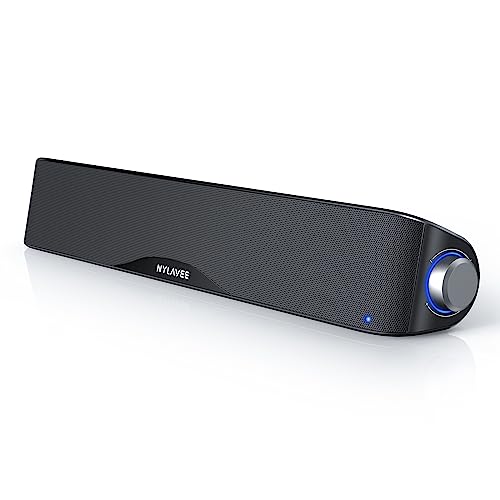
This USB-powered sound bar emphasizes stereo depth with four speaker units and two bass diaphragms. It features dual connection options—Bluetooth and AUX—allowing easy pairing with laptops, PCs, tablets, and phones. While not explicitly a mic-focused model, it’s a solid choice for general desktop audio with straightforward, flexible connectivity for mixed device ecosystems.
Edifier MG300 Computer Sound Bar
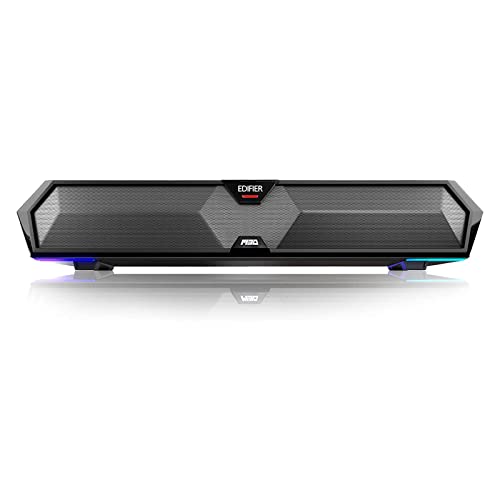
Edifier MG300 provides loud, clean desktop audio with two 2.5W channels and dual bass diaphragms for robust low end. It also features RGB lighting to create an immersive gaming or streaming atmosphere. Built-in microphone support is present, making it a versatile option for online meetings, gaming chats, and casual calls, while its compact footprint helps keep the desk organized.
Cyber Acoustics CA-2890BT (USB & Bluetooth)

The CA-2890BT attaches to monitors and supports both USB and Bluetooth connections. It features a 5W audio output with magnetic, space-saving design. The multifunction controls cover switching between USB and Bluetooth, adjusting volume, and mic mute with an LED indicator. It is a practical choice for users needing quick device switching and a slim footprint.
Cyber Acoustics CA-2890PRO USB & Bluetooth
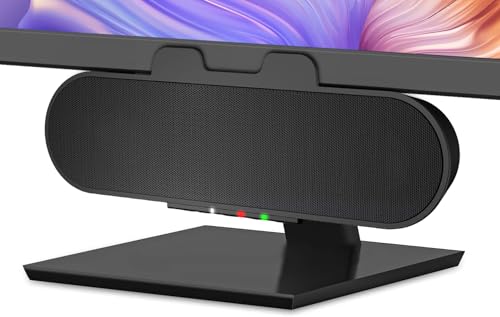
CA-2890PRO expands on the basic model by including a dedicated speakerphone experience and refined controls. It supports USB-C or USB-A and Bluetooth 5.0, with a 15W power output and rear-facing bass radiator for richer mids and highs. Quick-access controls for play/pause, volume, and mic mute help streamline conference calls and online lessons.
Buying Guide: Key Purchase Considerations
- Microphone quality and type: Detachable mics offer flexibility, while built-in mics with noise suppression simplify setup. Look for features like acoustic echo cancellation (AEC) and full duplex audio for clear two-way conversations.
- Connectivity options: USB is common for plug-and-play simplicity on PCs, laptops, and gaming consoles. Bluetooth provides wireless convenience, and some models offer both (hybrid). Ensure compatibility with your devices.
- Audio performance: Consider wattage, speaker count, and bass response. Dual drivers and dedicated bass radiators typically improve clarity and depth for both speech and media.
- Form factor and mounting: Clip-on monitor mounts save space; compact soundbars fit on top of or beside your monitor. Verify thickness limits and desk clearance before purchasing.
- LED indicators and software support: Some models include LED cues and compatibility with collaboration platforms (e.g., Teams). This can ease status awareness during meetings.
- Durability and safety: Non-toxic materials and stable clamps reduce desk clutter and protect your monitor from scratches or slips.
- Price-to-performance balance: For basic calls, a compact model with good mic quality may suffice. For gaming and streaming, prioritize higher wattage, broader frequency response, and ambient lighting if desired.
When choosing a computer soundbar with a microphone, balance your needs between mic clarity for conferencing, overall audio quality for media consumption, and space constraints on your desk. The options listed above cover a range of configurations—from compact, Teams-certified designs to feature-rich gaming-oriented models—so you can pick a solution that aligns with your typical usage and devices.