
Best USB to 3.5mm Audio Adapters for Clear, Simple Sound on Any Device
Answering your search for a reliable USB to 3.5mm adapter, this guide highlights five widely compatible options suitable for laptops, desktops, consoles, and mobile setups. Each product is best for a different scenario—from budget-conscious upgrades to rugged, travel-ready dongles. The following quick table helps compare core strengths and ideal buyers.
| Product | Best For | Key Strength | Limitations |
|---|---|---|---|
| MOSWAG USB to 3.5mm Jack Audio Adapter External Stereo Sound Card | Multimedia users needing both mic and headphone support | CTIA/OMTP compatibility; built-in DAC | Microphone jack may not support all TRS/TRS connections |
| UGREEN USB to 3.5mm Jack Audio Adapter Headphone DAC | Gamers and streamers seeking clear sound | 24bit/96kHz capable; aluminum shell | Microphone supports single mic only |
| SABRENT USB External Stereo Sound Card Adapter | Plug-and-play on mixed OS environments | Driverless on major OS | Does not support 4-pole headsets on a single plug |
| STSAUX USB to 3.5mm Audio Adapter (2-Pack) | Replacement for damaged ports; duo setup | 24-bit/96kHz DAC; wide compatibility | Intel/Apple device compatibility caveat noted in listing |
| JSAUX USB C to 3.5mm AUX Audio Adapter | Type-C devices without audio jacks | Smart DAC; wide device compatibility | Microphone control features may not work with all devices |
MOSWAG USB To 3.5mm Jack Audio Adapter External Stereo Sound Card

The MOSWAG adapter adds a USB-based 3.5mm TRRS port that handles both listening and speaking. It uses an advanced DAC to deliver 16-bit/48kHz audio with noise reduction for better fidelity. It supports CTIA and OMTP standards, expanding compatibility with headsets and microphones. This makes it a solid choice for Windows, macOS, Linux, Chrome OS, and even Raspberry Pi users, as well as gaming consoles like PS4/PS5. Best for: users who need a single USB dongle that delivers both audio out and microphone input, especially when the built-in jack is nonfunctional.
Limitation: the 3.5mm microphone jack may not support TS or TRS connectors in some setups, which can affect certain headsets. If you rely on specialty mics, verify compatibility before purchase.
UGREEN USB To 3.5mm Jack Audio Adapter Headphone DAC 24bit 96kHz

The UGREEN dongle provides a 2-in-1 USB audio solution for listening and talking, with inline mic support and a sturdy aluminum shell. It supports 24-bit/96kHz high-resolution audio, offering improved sound quality compared to standard USB adapters. It’s ideal for PC gaming, video calls, and multimedia listening. Best for: gamers and streamers who want richer audio and a durable build in a compact form factor.
Note: The microphone functionality is limited to a single mic input, and some devices may require manual selection of output/input devices in settings. The aluminum case adds durability but a slightly higher price than basic plastic adapters.
SABRENT USB External Stereo Sound Card Adapter

The SABRENT adapter is a classic plug-and-play option with separate 3.5mm jacks for headphone output and microphone input. It requires no drivers or external power and is recognized as a standard USB audio device across Windows, Mac, and Linux. It’s best for users who want a straightforward, driverless setup on multiple operating systems. Best for: mixed-OS environments where plug-and-play simplicity matters more than feature depth.
Limitation: it does not support 4-pole headsets on a single plug, and it won’t power passive speakers or provide surround sound processing.
STSAUX USB To 3.5mm Audio Adapter (2-Pack)

The STSAUX adapter uses a high-performance DAC to deliver 24-bit/96kHz audio output with noise reduction, supporting CTIA and OMTP standards and a wide range of devices. The 2-pack option suits users who need a spare or want to outfit a second computer or workstation. Best for: users who want a reliable, high-resolution USB audio solution across multiple devices. Beware: not all devices support USB audio for mic input, so check device-specific compatibility.
JSAUX USB C To 3.5mm AUX Audio Adapter

The JSAUX Type-C dongle converts USB-C to a 3.5mm jack, enabling headphones, headsets, and speakers to connect to devices lacking a traditional jack. It uses a Smart DAC and supports CTIA-compatible jacks, with durable strain relief for long-term use. Best for: newer laptops, tablets, and phones with USB-C but no headphone jack. Limitation: some devices may not support microphone control or volume actions via the adapter.
KAYQINHO 2 Pack USB To 3.5mm Audio Jack Adapter
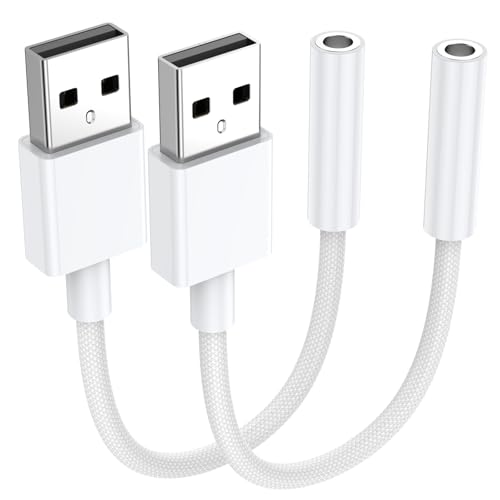
The KAYQINHO duo-pack offers external stereo sound with both listening and speaking capabilities. It provides a USB-based replacement for damaged ports and supports a wide range of devices including PS4/PS5, Windows, and Linux systems. Best for: users who want a cost-effective two-pack for multiple devices or as a spare. Limitation: some listings note compatibility caveats with certain platform mic configurations, so verify with your setup before use.
JXMOX USB Type C To 3.5mm Female Headphone Jack Adapter
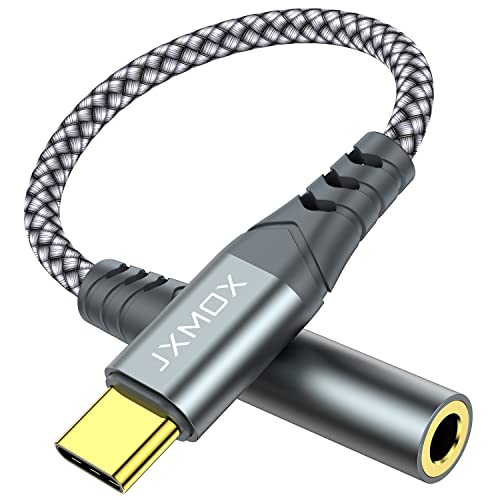
The JXMOX USB-C dongle enables listening to music and answering calls through a USB-C device, with a DAC-based chip that aims to reduce noise for higher fidelity. It features a relief strain design tested for thousands of bends, helping durability. Best for: users with USB-C devices who want a compact, multi-function adapter. Caution: certain devices may limit microphone or inline controls depending on OS and headset compatibility.
Buying Guide
What should I consider before buying a USB to 3.5mm adapter?
Device compatibility (Windows, macOS, Linux, Chrome OS, consoles, and USB-C vs USB-A), supported audio formats (16-bit/48kHz vs 24-bit/96kHz), and whether mic input is needed alongside audio output.
Do I need a DAC in the adapter?
A built-in DAC improves digital-to-analog conversion and reduces noise. If you listen to high-fidelity audio or play games with clear cues, a DAC-enabled adapter is preferable.
Is driver installation required?
Most listed adapters are driverless or plug-and-play on major OSes. If you work with specialized software or older systems, verify driver availability.
Which adapter is best for gaming?
Adapters offering high-resolution audio (24-bit/96kHz) and robust build quality, such as those with aluminum housings or dual-function mic input, are better for gaming and voice chat.
What about mic compatibility?
Look for TRRS compatibility and ensure your mic type matches the adapter’s input. Some adapters support only a single mic but can still deliver reliable headset audio.
Frequently Asked Questions
- What is the main advantage of USB to 3.5mm adapters?
- Can these adapters work with consoles like PS4 and PS5?
- Do all USB-A adapters support both mic and headphones?
- Will a USB-C to 3.5mm adapter work on an iPhone?
- Do I need to install drivers for USB audio adapters?
- How do I choose between 16-bit/48kHz and 24-bit/96kHz?
By aligning your needs with the right adapter—whether you seek rugged portability, high-resolution audio, or universal cross-platform compatibility—you can improve both listening and communications quality across devices. The products listed above offer a range of capabilities to suit different setups without requiring specialized knowledge or tools.