
Best 4 Pole 3.5mm Splitter for Shared Audio and Mic Use
So you need a reliable 4-pole 3.5mm splitter to share audio or add a microphone for headsets on PC, consoles, or mobile devices. This guide highlights five top options, explains who they’re best for, and helps you choose the right one based on build quality, compatibility, and purpose. Whether you’re gaming with friends, collaborating on VOIP, or watching media on the go, these splitters offer practical, plug-and-play solutions for dual-headset setups.
Quick comparison table of selected products:
| Product | Best Use | Notes |
|---|---|---|
| UGREEN Headphone Splitter | PC/laptop VOIP and gaming | Durable aluminum, gold-plated, CTIA compatibility |
| MillSO Headset Splitter (4 Pole) | Shared mic and audio on laptops/phones | Two TRRS jacks, not IOS mic compatible |
| DUKABEL 3.5mm Y Cable | Dual listening with mic support | Gold-plated, robust build |
| DU K Exclusives Splitter | Gaming headsets on consoles | CTIA-aware, supports two headsets |
| KINGTOP 3.5mm Splitter | PC/console/Android setups | Compact, widely compatible |
UGREEN Headphone Splitter for Computer 3.5mm

Best for: PC or laptop users who need separate audio and microphone inputs for VoIP, online gaming, or classes. This splitter converts a single 4-pole TRRS jack to two separate 3.5mm jacks, enabling independent mic and audio signals. It is ideal for use with headsets on Skype, Teams, or gaming chats.
Why chosen: It uses polished 24K gold-plated connectors and oxygen-free copper for clearer transmission and reduced noise. Aluminum alloy housing adds durability, and a nylon-braided jacket withstands many bends and tugs. Note: A CTIA-compatible TRRS cable is required for microphone output; OMTP or other standards may not work for mic.
Limitation: Some non-CTIA headsets may not deliver mic input reliably. If mic is your priority, verify headset compatibility before purchase.
MillSO Headset Splitter for 2 TRRS Headphones or Mics
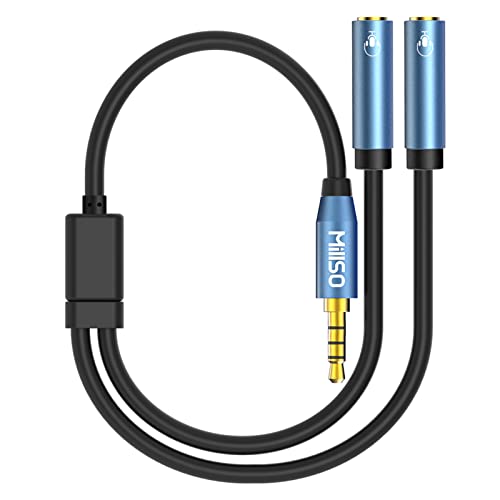
Best for: Sharing audio and mic between two users on a laptop, tablet, or smartphone with a 4-pole combo jack. Suitable for two players or two listeners wanting separate headsets with mic access.
Why chosen: Supports two TRRS devices with mic and audio function, though it notes incompatibility with iOS mic use and some non-TRRS configurations. The build supports stable connections and easy sharing of multimedia content.
Limitation: Not compatible with iOS mic input in some setups; two TRRS devices must both be 4-pole TRRS to use the mic function reliably.
DUKABEL Headphone Splitter 3.5mm Y Cable
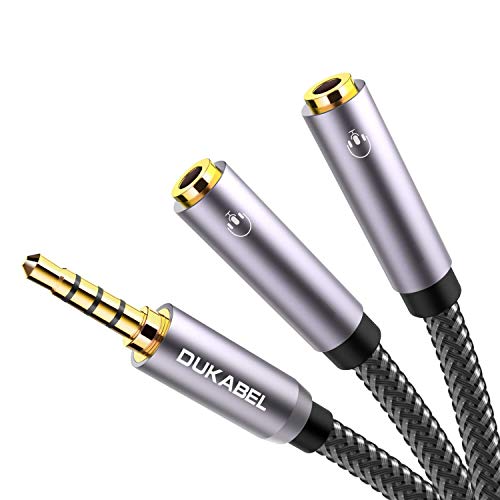
Best for: Sharing audio with two listeners while keeping one microphone input for a single headset, on devices with a 4-pole TRRS jack. Useful for family viewing or co-watching with mic support.
Why chosen: Features 24K gold-plated contacts, a triple-shielded jacket, and a sturdy nylon-braided exterior. The tapered plug design is case-friendly and minimizes interference, offering reliable performance in varied setups.
Limitation: Do not rely on mic functionality when using iPhone or iOS-standard headphones; confirm device compatibility for mic support before buying.
MillSO Headphone Splitter Adapter for Gaming and PC

Best for: PC gaming and console setups that require dual functionality from a single 4-pole jack. This adapter splits into two female ports with mic and audio support.
Why chosen: It uses a premium metal housing and 24K gold-plated connectors to resist corrosion and to ensure stable signal transfer, supporting two headsets or mic connections simultaneously.
Limitation: Compatibility varies with devices that do not follow standard CTIA wiring; verify with your headset model if mic input is essential.
Buying Guide: How To Choose The Right 4 Pole 3.5mm Splitter
- Compatibility: Confirm CTIA vs OMTP standard for mic support. CTIA headsets typically require a CTIA-compatible splitter to output mic signals reliably.
- Speaker and Microphone Needs: If you need mic input on both devices, look for splitters explicitly listing mic support on both outputs.
- Build and Durability: Aluminum housings, gold-plated plugs, and braided cables reduce wear and signal degradation over time.
- Device Type: For PC VOIP, gaming consoles, or smartphones, prioritize splitters that advertise cross-platform compatibility and low-latency audio paths.
- Length and Portability: Short cables minimize clutter on desks; consider a compact design for mobile use or travel.
- One-to-Two vs Two-to-Two: Decide if you simply want to share audio or also route microphone signals to two separate devices.
Frequently Asked Questions
- What is a 4-pole 3.5mm splitter best used for? Answer: It enables sharing audio and microphone signals from a single source to two headsets or to connect two devices to one headset that uses a CTIA 4-pole jack.
- Will these work with iPhones or iPads for mic input? Answer: Some splitters do not support iOS mic input. Check CTIA compatibility and device requirements before purchasing.
- Can I use these with gaming consoles? Answer: Yes, many splitters are designed to work with PS4, PS5, Xbox One, and other consoles when the headset uses a CTIA 4-pole plug.
- Do I need a specific mic or headphone model? Answer: Not typically; most CTIA-compatible TRRS headsets work. Verify that both devices in use can support TRRS connections.
- Are there performance differences between brands? Answer: Differences usually come down to connector quality, shielding, and build durability, which affect long-term reliability and noise levels.
- Is a mic-equipped splitter necessary for VOIP calls? Answer: If your headset requires a combined mic and audio signal on a single jack, a splitter that preserves mic function is essential.