
Best Analog Surround Sound Headset for Immersive Gaming
Answering the demand for true analog surround sound, this guide highlights headsets that deliver immersive, multi-directional audio without relying on software presets. Designed for gamers who want precise positional cues and clear communication, these picks are suitable for people who value real, hardware-driven surround experiences. The top five options offer broad compatibility, robust drivers, and dependable microphones, making them ideal for competitive play, long streaming sessions, or casual console and PC gaming alike.
| Product | Best For | Notes |
|---|---|---|
| Logitech G432 | PC and console gamers who want DTS Headphone:X 2.0 | Big 50 mm drivers, wired reliability |
| EKSA E1000 USB PC | Plug-and-play 7.1 surround on PC | USB DAC, clear mic |
| Corsair HS35 Surround v2 | Multiplatform, universal 3.5 mm | Dolby 7.1 with USB adapter |
| havit H2002d | Budget PC/console multi-platform | Aluminum frame, comfortable for long sessions |
| Razer Kraken | All major platforms with 3.5 mm jack | Retractable mic, lightweight |
Logitech G432 Wired Gaming Headset

Best for PC gamers who want precise surround cues without software dependency. The Logitech G432 uses large 50 mm drivers and DTS Headphone:X 2.0 to create a three-dimensional soundscape that helps pinpoint footsteps and environmental effects. The mic is a full-spectrum 6 mm boom, designed to be heard clearly and muted when flipped up. Best used with the G HUB software for full positional audio tuning. A potential limitation is the need for software activation to access the full surround feature.
EKSA E1000 USB PC Gaming Headset

Best for users seeking a simple plug-and-play 7.1 surround experience on PC with minimal setup. It features a USB audio chip and 50 mm neodymium drivers for a broad soundstage, plus a 120° adjustable microphone with omnidirectional noise reduction. Not ideal for users without USB audio ports or those who require wireless options. It works well for PC-only gaming and streaming setups that value clear voice and immersive audio without extra drivers.
Corsair HS35 Surround v2

Best for gamers who want broad compatibility via a universal 3.5 mm jack, with Dolby 7.1 surround when connected through the USB adapter on PC or Mac. The 50 mm drivers are tuned for a wide sound range, providing clear footsteps and audio cues across platforms. The headset supports multiple devices, which is advantageous for mixed-use setups. A limitation is reliance on a USB adapter for PC/Mac surround processing; without it, you may experience standard stereo output.
havit H2002d Gaming Headset
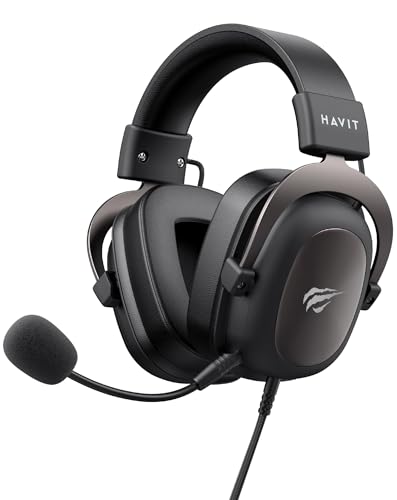
Best for budget-conscious gamers who still want surround-style audio. The H2002d uses a robust aluminum frame and comfortable memory foam earcups for long sessions. A high-sensitivity mic supports clear chat with teammates. It’s suitable for PC and consoles via 3.5 mm connections, but may not deliver the same depth as higher-end USB or software-enabled surround systems. Ideal for entry-level multi-platform gaming setups.
Razer Kraken Gaming Headset
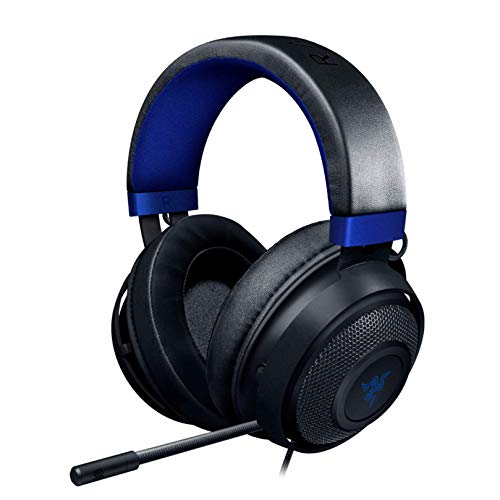
Best for gamers who want a lightweight, versatile headset with a retractable microphone. The Razer Kraken offers 7.1 software-enabled surround on Windows 10 with a capable 50 mm driver and comfort-focused oval cushions. The 3.5 mm connection ensures broad compatibility, including PS4, PS5, Xbox, Switch, and mobile devices. Limitation: software surround is only available on Windows 10 64-bit; other platforms deliver stereo sound unless using the Razer software on compatible PCs.
Buying Guide
- What is analog surround sound, and why choose it over virtual surround?
– Analog surround uses physical driver configurations and sound processing in the headset itself, often delivering consistent latency and a more traditional surround feel without relying on external software. - Which connection type should I prioritize?
– USB headsets with built-in DACs can deliver more robust surround processing on supported systems. 3.5 mm headsets offer broad compatibility but may rely on device-side processing. - Do I need software support for surround sound?
– Some models offer software-enabled surround (e.g., DTS Headphone:X or Razer Surround). If you value advanced tuning and equalization, a software-enabled option may be worth it; otherwise, plug-and-play USB or 3.5 mm can be sufficient. - What about microphone quality?
– Look for a dedicated boom mic with adjustable pickup pattern and mute features. Omnidirectional or cardioid mics with noise reduction help maintain clear communication in noisy environments. - Is comfort important for long sessions?
– Prioritize lightweight design, memory foam or cooling cushions, and an adjustable headband. Longer sessions require breathable materials and a frame that reduces heat buildup. - Which headsets are best for multi-platform use?
– Models with universal 3.5 mm jacks or USB-C adapters provide broader compatibility across PC, consoles, and mobile devices.
Frequently Asked Questions
- What is the difference between analog and software-based surround sound in headsets?
– Analog surround uses hardware and built-in drivers for spatial cues, while software-based surround relies on PC software to simulate multi-channel audio. - Can I use these headsets with a console without a USB DAC?
– Yes for headsets with a 3.5 mm jack; however, some surround processing may require USB or software on a PC. - Do all these headsets require drivers for Windows?
– Some models can work plug-and-play, while others benefit from optional software for enhanced surround or mic control. - Is a retractable microphone better for gameplay?
– Retractable mics reduce cable clutter and can improve portability; they are generally convenient for gaming and streaming setups. - Are these headsets suitable for streaming?
– They can be suitable when mic clarity and background noise reduction are strong; some models feature noise-canceling mics for clearer voice capture. - What should I consider when choosing a multi-platform headset?
– Look for universal 3.5 mm compatibility, durable construction, and a comfortable fit that works across long gaming sessions.