
Best Android Car Entertainment Systems for Back Seat Fun and Convenience
Seeking a reliable Android car entertainment system for rear-seat viewing and family-friendly streaming? This guide highlights five top options, detailing who each product is best for and why. Ideal buyers include families needing larger screens for kids, road-trippers wanting multiple devices connected, and tech-savvy drivers who value Miracast/AirPlay and app access on the go. The summary table below helps compare core specs at a glance.
| Product | Screen Size | Android Version | Best For |
|---|---|---|---|
| Seventour 15.6″ Android Car TV Headrest Monitor | 15.6″ | Android 13 | Large screens, family travel, dual monitor setup |
| Seventour 12.4″ Android Car TV Headrest Monitor | 12.4″ | Android 10 | Balanced size with solid app access |
| Seventour 14″ Android Car TV Headrest Monitor | 14″ | Android 13 | High clarity, streaming apps, broad compatibility |
| Bsldtor 10.1″ Android 12 Car Headrest TV | 10.1″ | Android 12 | Compact, budget-friendly back-seat option |
| WONNIE 13.3″ Car TV for Back Seat | 13.3″ | Android 13 | 4K-capable display, wireless mirroring |
Seventour 15.6 Inch Android Car TV Headrest Monitor

Best for: Families needing a large, feature-rich system for rear-seat passengers. This model pairs a 15.6″ HD IPS touch screen with Android 13.0, wireless connectivity, and expansive input options. It supports 4K video decoding, WiFi 5G/2.4 GHz, and Google Play Store access for a wide range of apps. The unit uses a universal metal mounting bracket and includes dual power adapters for car or home use.
- Large 15.6″ IPS display with 4K decoding capability.
- Android 13.0 with access to Google Play and APKPure.
- Wireless screen mirroring via iOS AirPlay and Android Miracast; MyCar Link for remote control.
- Dual monitor expansion possible via HDMI; USB and micro SD up to 1TB.
- Best for long trips, games, and streaming with family-friendly app access.
Caution: Some apps may require updating to the latest version to run smoothly; ensure the vehicle’s WiFi connection is stable for streaming.
Seventour 12.4 Inch Android Car TV Headrest Monitor
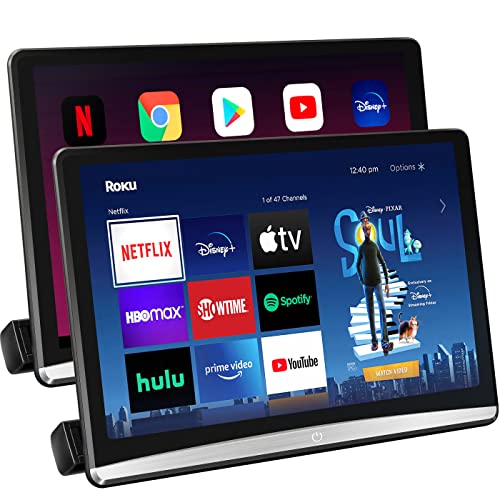
Best for: Families needing a mid-size option with strong app availability. This 12.4″ headrest monitor runs Android 10 with 5G/2.4 GHz WiFi and supports APKPure for app downloads. It is designed for compatibility with most car models via a sturdy universal mounting bracket and dual power adapters.
- 12.4″ HD IPS touch screen; 1920×1080 resolution.
- Android 10 with Google Play/AAPKPure access.
- Universal metal mounting bracket; easy installation on most vehicles.
- Supports mobile hotspot connectivity for streaming on the go.
- Best for family use where a balance of size and app availability is desired.
Caution: Android 10 may have older app compatibility compared to newer versions; consider app availability when selecting streaming services.
Seventour 14 Inch Android Car TV Headrest Monitor

Best for: Viewers who want a larger screen with robust streaming options while keeping a reasonable dashboard footprint. This 14″ unit runs Android 13, includes WiFi 5G/2.4 GHz, and supports multiple streaming apps via Google Play or APKPure. It uses a metal mounting bracket compatible with most cars and ships with dual power adapters.
- 14″ IPS touch screen; 2240×1400 resolution for sharp visuals.
- Android 13 with broad app compatibility.
- Universal mounting for wide car-model compatibility.
- Supports YouTube, Netflix, Disney+, Prime Video, HBO, and more via Play Store or APKPure.
- Best for passengers who want vibrant visuals and app variety on the road.
Caution: Higher resolution and larger size can impact headrest depth in compact vehicles; verify fit before purchase.
Bsldtor 10.1 Inch Android 12 Car Headrest TV Monitor
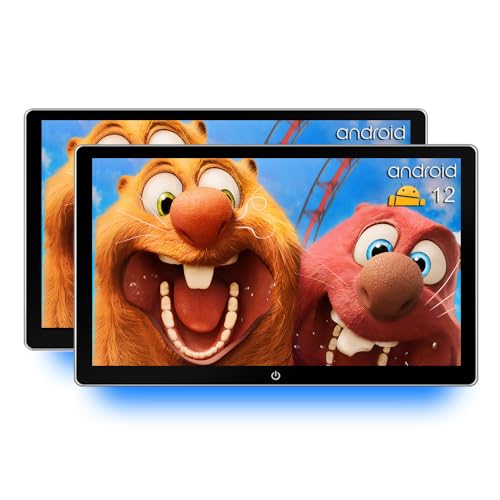
Best for: Budget-conscious buyers or those needing a compact setup for kids. The 10.1″ unit runs Android 12, offers multiple connectivity options (HDMI, USB, SD, Bluetooth, FM transmission), and includes 2GB RAM/32GB ROM for local media storage. It also supports iOS AirPlay and Android Miracast with MyCar Link remote control.
- Android 12 with Google Play access and OTA updates.
- Multiple input/output ports: HDMI, USB, SD; Bluetooth and FM transmission.
- Miracast and AirPlay screen mirroring; MyCar Link remote control.
- Compact size suitable for smaller vehicles or budget setups.
- Best for travelers who want basic streaming and local media in a small package.
Caution: Some streaming apps may require version-specific updates; ensure compatibility with preferred apps before purchase.
WONNIE 13.3 Inch Car TV for Back Seat

Best for: Viewers seeking a large, high-clarity display with 4K-capable playback and wireless phone mirroring. This 13.3″ Android 13 unit supports Miracast/AirPlay, WiFi, and includes both HDMI/USB for external devices. It emphasizes a premium viewing experience for rear-seat passengers.
- 13.3″ HD IPS touch screen with 4K playback support.
- Android 13.0; WiFi 5G/2.4 GHz; wireless mirroring for iOS and Android.
- Wireless screen sharing via Miracast/AirPlay; MyCar Link remote use.
- HDMI/USB input options; broad compatibility with media players.
- Best for families who want a cinema-like experience in the back seat.
Caution: 4K support may depend on app capabilities and content; some apps may require updates for best performance.
Buying Guide: Key Considerations for Android Car Entertainment Systems
What screen size should I choose?
Choose a size that fits your vehicle’s interior and viewing distance. Larger screens improve visibility for multiple passengers but may require more space and attention to installation clearance. Consider whether you want a single large unit or a pair of smaller headrest displays.
Which Android version and app access matter?
Newer Android versions often provide better app compatibility and security. Look for devices with Google Play access or APKPure compatibility to install streaming apps you already use. OTA update capability helps keep apps and system features current.
How important is connectivity?
WiFi compatibility (5G/2.4 GHz) enables streaming and hotspot sharing. Miracast or AirPlay support allows wireless screen mirroring from phones. HDMI, USB, and SD card inputs extend media sources beyond streaming services.
Is universal car compatibility a factor?
Many models advertise universal mounting brackets designed to fit most car models. Check for metal mounting hardware and dual power adapters to simplify installation in both cars and homes.
What are common limitations to expect?
Some apps may need version updates to run smoothly. Some cars may have space constraints that affect fitting larger screens. Wireless mirroring may be restricted by app protections on certain content.
How should I compare options?
Assess screen size, display resolution, Android version, app access, connectivity options, and installation compatibility. Use this combination to decide whether you prioritize streaming variety, mirror capabilities, or a larger shared display for passengers.
Summary of buying considerations
- Screen size balance vs. vehicle space
- Android version and app ecosystem
- Wireless mirroring and hotspot options
- Ease of installation and compatibility with car models
- Source options: streaming apps, local media, or both
Frequently Asked Questions
- Q: Do these headrest monitors support both iOS and Android mirroring?
A: Yes, several models support AirPlay and Miracast for cross-platform mirroring. - Q: Can I watch 4K videos on these headrest displays?
A: Some models support 4K playback, but streaming content availability depends on the app and content provider. - Q: Do they require a constant WiFi connection?
A: Not necessarily; many offer offline playback via USB/SD and can use mobile hotspot for streaming. - Q: Will these fit in my car’s headrest brackets?
A: Most units use a universal metal mounting bracket designed to fit a wide range of vehicles; verify bracket size and available space in your car. - Q: Is there any risk with OTA updates?
A: OTA updates improve stability and app compatibility but may occasionally introduce temporary compatibility changes; ensure you have network access during updates. - Q: Which option is best for kids and family trips?
A: The larger-screen Seventour models (15.6″ or 14″) are often preferred for families due to bigger viewing area and more app options.