
Choosing The Right HDMI Cable for a soundbar means focusing on ARC/eARC support, bandwidth (48Gbps), and HDMI 2.1 features to preserve high-bitrate audio like Dolby Atmos and keep video quality intact. Below is a quick comparison of the five selected cables chosen for soundbar compatibility and modern HDMI features.
| Product | Key Strength | Length |
|---|---|---|
| Silkland 8K HDMI ARC/eARC Cable | eARC & Dolby Atmos Support | 6.6ft |
| JSAUX 8K HDMI Cable 2 Pack | Two-Pack, Braided, eARC/ARC | 6ft (pack of 2) |
| Anker HDMI 2.1 Cable 8K@60Hz (B08MZYQ43S) | HDMI Forum Certified, 48Gbps | 6.6ft |
| Highwings 8K 10K 4K HDMI 2.1 Cable | 8K/4K 120Hz, VRR & Gaming Focus | 6.6ft |
| Highwings HDMI Cable 15 FT Long | Long Reach With In-Wall CL3 Rating, eARC | 15ft |
Silkland 8K HDMI ARC/eARC Cable 2.1 For Soundbar 6.6ft

This Silkland HDMI 2.1 cable lists eARC/ARC support and compatibility with high-bitrate audio formats like DTS Master, DTS:X, Dolby Atmos. It advertises 48Gbps bandwidth, 8K@60Hz and 4K@120Hz video capability, and Dynamic HDR/12-bit color processing. The combination of eARC support and wide codec compatibility makes it suitable for connecting modern soundbars to TVs and AV receivers while preserving lossless or object-based audio formats.
JSAUX 8K HDMI Cable 2.1 2 Pack 6ft
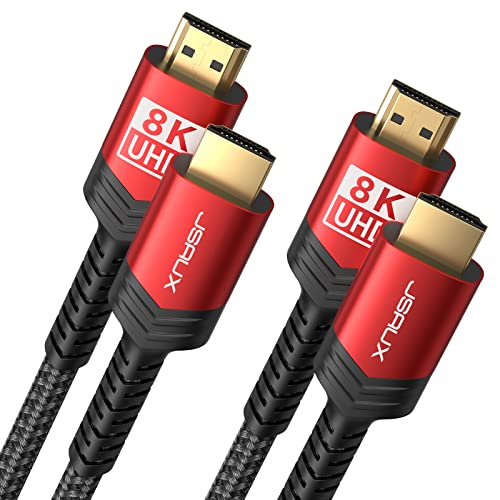
The JSAUX set includes two braided HDMI 2.1 cables with 48Gbps bandwidth, supporting 8K@60Hz, 4K@120Hz, and features like ARC/eARC, VRR, ALLM. It claims broad format support (HDR10, Dolby Vision, DTS:X, Dolby Atmos) and uses multi-layer shielding with gold-plated connectors. This two-pack is practical for multi-device setups or having a spare cable for soundbar to TV plus a console connection.
Anker HDMI 2.1 Cable 8K@60Hz 6.6FT
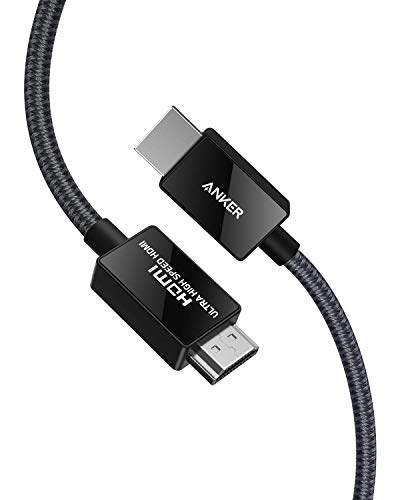
Anker’s cable is advertised as HDMI Forum Certified Ultra High Speed, with 48Gbps and support for eARC, Dynamic HDR, and Dolby Atmos. Certification indicates testing for EMI suppression and signal integrity, which can be beneficial in living rooms with wireless devices. The cable emphasizes future-proofing and is compatible with PS5, Xbox Series X, and modern smart TVs when used for soundbar passthrough.
Highwings 8K 10K 4K HDMI 2.1 Cable 48Gbps 6.6FT
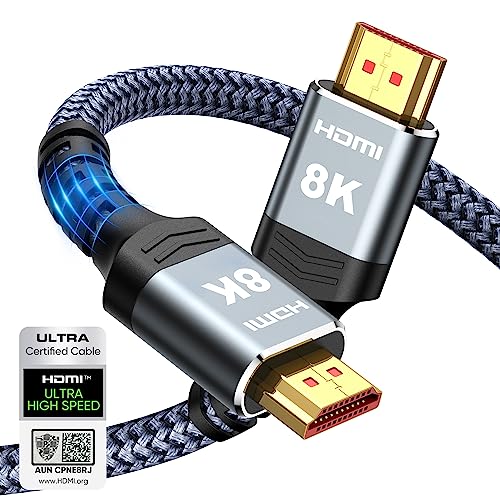
Highwings advertises 8K@60Hz and 4K@120Hz capability at 48Gbps with backward compatibility to earlier HDMI versions. The product highlights VRR and gaming-focused features, aiming to reduce frame drops and maximize smoothness. It lists HDR support and HDCP compatibility, making it appropriate for soundbar setups that also handle game consoles and high-refresh displays.
Highwings HDMI Cable 15 FT Long 4K 8K 10K HDMI 2.1

This 15-foot Highwings cable supports 48Gbps, 8K@60Hz, and 4K@120Hz and is in-wall CL3 rated, useful for longer runs from TV to wall-mounted soundbars or in-wall receivers. It lists eARC support and compatibility with high-bitrate audio formats such as DTS Master and Dolby Atmos. For installations where distance matters, the CL3 rating and advertised signal stability are relevant factors.
Buying Guide: How To Choose an HDMI Cable For Your Soundbar
Choosing an HDMI cable for a soundbar centers on preserving audio fidelity and ensuring video passthrough without bottlenecks. Below are the main considerations.
ARC vs eARC
ARC (Audio Return Channel) supports compressed surround formats and some stereo PCM. eARC (Enhanced ARC) supports high-bitrate, lossless and object-based audio like Dolby TrueHD and Dolby Atmos. For full Dolby Atmos from a TV app or Blu-ray via AVR, prefer cables and devices with eARC.
Bandwidth And HDMI Version
48Gbps and HDMI 2.1 allow high-resolution video (8K@60Hz, 4K@120Hz) and advanced audio passthrough. While audio alone might not need 48Gbps, choosing an HDMI 2.1 / Ultra High Speed cable future-proofs connections and prevents signal limitations when the cable also carries high-frame-rate video.
Cable Length And Signal Integrity
Longer cables can face attenuation. For runs under 10–15 feet, passive 48Gbps cables often work fine. For >15 feet, look for certified CL3-rated or active/optical solutions. In-wall installations should use cables rated for in-wall use (CL3) to meet safety codes.
Certification And Shielding
Ultra High Speed HDMI certification or HDMI Forum certification indicates the cable was tested for performance and EMI. Multi-layer shielding and braided jackets help reduce interference, especially in living rooms with many wireless devices.
Connector Quality And Durability
Gold-plated connectors and reinforced strain relief improve long-term reliability. If the cable will be plugged/unplugged frequently, braided jackets and robust connectors reduce wear.
Compatibility And Backward Support
Ensure the cable is backward compatible with earlier HDMI versions. Look for explicit mention of ARC/eARC, HDCP 2.2/2.3, and the audio formats you need (Dolby Atmos, DTS:X) to ensure your soundbar and TV communicate properly.
Use Case Perspectives
- Movie Streaming From TV Apps: Prioritize eARC to get lossless/object-based audio from TV apps through the soundbar.
- Console Gaming + Soundbar: Choose 48Gbps cables that support 4K@120Hz and low-latency video modes while also ensuring eARC for audio passback.
- Long In-Wall Runs: Use CL3-rated or active/optical cables designed for distance to preserve signal integrity and comply with code.
- Multi-Device Setup: Consider a two-pack or additional lengths so each device (console, Blu-ray, TV output) can use a dedicated high-speed cable.
Final Technical Checklist: Confirm the cable supports eARC (if you need high-bitrate audio), has 48Gbps bandwidth for future-proofing, appropriate length/in-wall rating for your install, and certification/shielding for reliable performance.