Best Internal PC Speakers for Clear BIOS Beeps and Desktop Audio
Finding the right internal speaker for your PC helps you hear POST codes, motherboard alerts, and overall system audio with clarity. This guide highlights five reliable options designed for direct motherboard connections, compact design, and easy installation. Each product is selected for compatibility with standard 4-pin headers and common PC cases, offering dependable beep signals and clean passive audio performance. Use the Buying Guide for key considerations when comparing options.
| Product | Brand | Key Benefit |
|---|---|---|
| SoundOriginal PC Motherboard Internal Speaker BIOS Alarm Buzzer | SoundOriginal | Simple, compact beep alerts with 3-inch cable |
| XMSJSIY Motherboard Speaker Internal USB PC Speaker | XMSJSIY | Hidden, compact with integrated amplification |
| SynHHergyx 10 Pcs PC Motherboard Mini Speaker | SynHHergyx | Bulk pack for multiple PC builds |
| WEICHUANG 5 PCS Motherboard Speaker Mini Plug Buzzer | WEICHUANG | Multiple units with plug-and-play 4-pin headers |
| Corpco PC Motherboard Internal Speaker | Corporate Computer | Standard internal speaker with easy header plug |
SoundOriginal PC Motherboard Internal Speaker

SoundOriginal offers a straightforward motherboard speaker solution designed to emit POST codes and diagnostic beeps. The device is a three-piece pack with a modest cable length of about 3 inches, reducing wiring clutter inside the case. It plugs into the standard internal speaker header, letting you quickly confirm system status during boot. This option is ideal for builds that prioritize reliability and simplicity over added features. The buzzer is piezo-based, providing audible feedback without consuming additional system resources.
XMSJSIY Motherboard Speaker Internal USB PC Speaker

This compact, hidden-design motherboard speaker uses a USB-powered setup with a 9-pin connection for desktop cases. It features an integrated chip amplifier and dual 16-core internal magnetic drivers to deliver clearer bass textures with lower distortion. The carbon fiber diaphragm contributes to dynamic sound, while a double-sided adhesive backing allows secure placement on the computer chassis. Optional screws provide alternative mounting. This solution is suitable for users who want a space-saving, yet expressive internal speaker that avoids visible wires.
SynHHergyx 10 Pcs PC Motherboard Mini Speaker
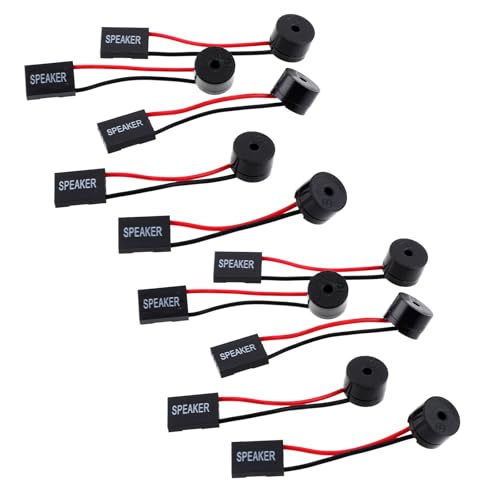
SynHHergyx offers a bulk pack of 10 mini motherboard speakers, each roughly 2.3 inches in length. These beepers are designed for quick plug-and-play installation via a 4-pin header, enabling rapid diagnostics and status beeps during startup. The included red (positive) and black (negative) leads are easy to wire, and the compact form factor helps minimize cable clutter. This option is practical for tech refurbishments, labs, or multi-PC setups where multiple audible indicators are beneficial.
WEICHUANG 5 PCS Motherboard Speaker Mini Plug Buzzer

WEICHUANG provides a five-pack of little PC motherboard buzzers, each roughly 2.3 inches long. The package emphasizes plug-and-play operation via a 4-pin female connector, making it straightforward to insert into the motherboard’s speaker header. Wiring uses red for positive and black for negative, but the interface is flexible as long as the connection is secure. This set is well-suited for technicians who regularly service multiple systems or need spare beepers on hand.
Corpco PC Motherboard Internal Speaker
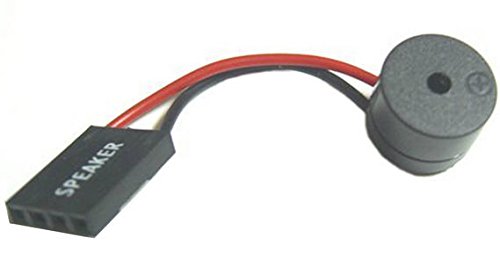
Corpco’s internal speaker is a standard solution for hearing POST codes and other motherboard alerts. It features a roughly 3-inch cable and plugs directly into the speaker header. The design focuses on reliability and ease of installation, ensuring users can quickly verify that the system is booting correctly without external audio devices. This option is compatible with most mainstream motherboard layouts and front-panel speaker headers.
Buying Guide: Key Considerations for Internal PC Speakers
Compatibility: Ensure the speaker uses the standard 4-pin motherboard header and matches your case layout. Check cable length to avoid clutter, especially in tight builds.
Sound Quality vs. Purpose: If you primarily rely on POST beeps, basic piezo beepers are sufficient. For audio enthusiasts seeking clearer internal beeps, look for models with integrated amplification or higher-quality diaphragms.
Mounting Options: Some options include adhesive backing or screws for flexible placement. Consider whether you need a discreet, hidden solution or a mounting that’s easy to access.
Bulk Availability: For repair shops or multiple builds, bulk packs (like 5–10 pieces) reduce restocking frequency and ensure spare units are always on hand.
Durability and Wiring: Look for devices with robust wiring and clear positive/negative labeling. A secure plug-and-play interface minimizes a failed beeper connection.
Compatibility with BIOS/Post Codes: If your goal is diagnostic utility, verify that the beep codes align with your motherboard’s POST behavior and motherboard vendor documentation.
Cost and Value: Compare per-unit price against pack size to estimate long-term value, especially when setting up labs or bulk deployments.