
Looking For A Soundbar With An Audio Out Or Multiple Output Options? Below are top picks that offer optical, HDMI ARC/eARC, subwoofer outputs, or dedicated audio out capabilities to expand your setup. The table summarizes key models and output types to help quick comparison.
| Product | Key Audio Outputs | Notable Feature |
|---|---|---|
| BESTISAN 50W Soundbar | HDMI ARC, Optical, AUX, USB, Sub Out | Adjustable Bass, Multiple EQ Modes |
| KabelDirekt TOSLINK Optical Cable | Optical (TOSLINK) | Metal-Free Fiber; Interference Immune |
| Yenjuty 100W Sound Bar | ARC, Optical, AUX, USB, Bluetooth | 2-In-1 Detachable Speakers |
| VIZIO 5.1 Soundbar SE | HDMI, Wireless Subwoofer, Bluetooth | Dolby Atmos & DTS:X Support |
| Polk Audio Signa S2 | HDMI ARC, Optical, AUX, Bluetooth | VoiceAdjust Technology, Wireless Subwoofer |
Sound Bar, BESTISAN 50 Watts Soundbar With HDMI, Optical, AUX, USB, Sub Out And Bluetooth Connection
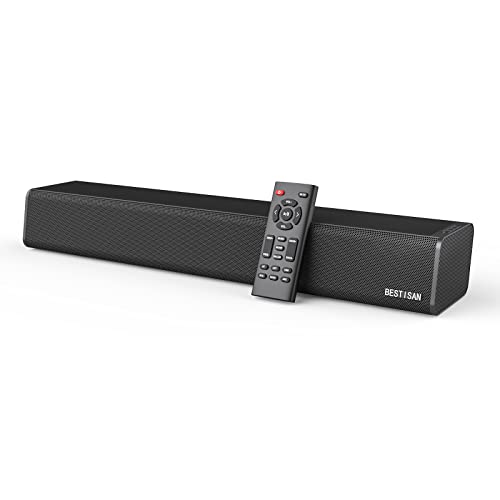
This compact soundbar includes HDMI ARC, optical, AUX, USB and a dedicated sub out, making it flexible for connecting to TVs, external subs, or legacy audio gear. It features two full-range drivers plus a bass tube, and offers 3 EQ modes (movie, music, dialogue) with adjustable bass and treble. Bluetooth 5.0 provides wireless streaming, while mountable slim design supports wall or shelf placement. The multiple wired outputs make it suitable where an audio out is required for routing to amps or subwoofers.
KabelDirekt TOSLINK – Optical Audio Cable – 6ft – Fiber Optic Cord

This TOSLINK optical cable is designed to transmit digital audio from TV outputs to soundbars, AV receivers, or any device with optical in/out. The metal-free fiber construction eliminates electrical interference, useful when running cable near power or data lines. It’s an essential accessory when your soundbar or TV uses optical audio out rather than HDMI, and it supports S/PDIF-compatible devices including game consoles and streaming boxes.
Yenjuty Sound Bar 100W With ARC, Optical, AUX And Detachable Speakers

The Yenjuty unit offers ARC, optical, AUX, USB and Bluetooth 5.3 connections plus a unique 2-in-1 detachable design that converts into two tower speakers for wider sound dispersion. Its connectivity options support audio out arrangements for linking to subs or external amplifiers when using compatible ports. The speaker set targets 3D surround audio and enhanced bass through multiple drivers and diaphragms, while ARC allows TV remote sync where supported.
VIZIO 5.1 Soundbar SE With Wireless Subwoofer And Dolby Atmos

The VIZIO 5.1 SE system includes a soundbar, two rear surrounds, and a wireless subwoofer. It supports HDMI inputs and Bluetooth streaming and decodes Dolby Atmos and DTS:X content for immersive spatial audio. While the subwoofer connects wirelessly, the soundbar’s HDMI/optical options let users route audio from TV outputs or external players. App support enables tuning and firmware updates. This setup is suitable for users prioritizing multichannel output and wireless sub integration.
Polk Audio Signa S2 Sound Bar With HDMI, Optical And VoiceAdjust
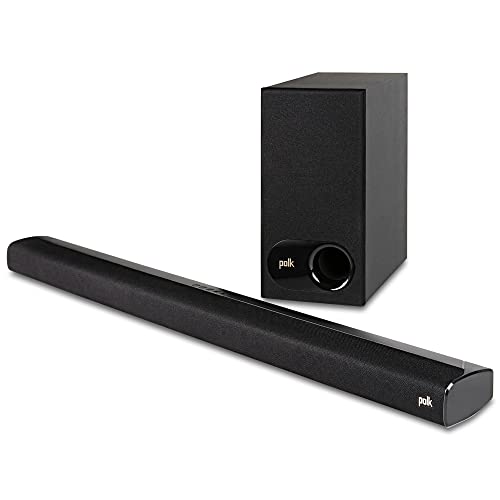
The Signa S2 supports HDMI ARC, optical, and AUX and ships with a wireless subwoofer. Polk’s VoiceAdjust technology helps clarify dialogue and the slim form factor fits under most TVs without blocking IR sensors. It’s compatible with 4K and HD TVs, and its wired optical or HDMI output options allow you to route audio where needed. The wireless subwoofer simplifies bass extension without extra cabling to the receiver.
Buying Guide: Choosing A Soundbar With Audio Out
Selecting a soundbar with the right audio out or connectivity depends on how you plan to expand or integrate with other equipment. Below are key factors and comparison perspectives to consider.
Common Audio Outputs And What They Mean
- HDMI ARC/eARC — Best For TV integration and remote control passthrough; supports higher bandwidth audio (eARC for lossless formats).
- Optical (TOSLINK) — Reliable digital output for TVs and older receivers; immune to electrical interference but limited bandwidth vs. eARC.
- Sub Out — Allows connecting an active/regulated subwoofer for deeper bass or to integrate with an external sub for greater performance.
- AUX/Analog Out — Useful for older amplifiers or portable speakers; lower fidelity than digital connections but highly compatible.
Room Size And Output Needs
- Small Rooms: Compact soundbars (single unit or 2.0) with clear dialogue modes suffice.
- Medium Rooms: 2.1 or systems with dedicated sub out are beneficial for fuller low-end.
- Large Rooms/Home Theater: Multichannel systems (5.1+) or Dolby Atmos-capable bars provide better immersion and require robust output options.
Compatibility And Future-Proofing
- Confirm your TV’s outputs: If your TV lacks HDMI eARC but has optical out, choose a soundbar with optical input or use converters if necessary.
- Check for ARC/eARC if you want TV remote volume control and higher-bandwidth audio passthrough.
- Ensure sub out type matches your subwoofer (RCA/subwoofer LFE vs. proprietary wireless connections).
Connectivity And Expansion Scenarios
- Need Multiroom Or Streaming? Look For Bluetooth/Wi‑Fi and app support.
- Want To Add A Receiver/AV Amp? Use optical or HDMI to route TV audio to an external amp with appropriate inputs/outputs.
- Console/Gaming Setup? Optical and HDMI inputs let you connect consoles directly, but eARC enables best object-based audio when supported.
Accessories And Cables
- Optical Cable: Choose a high-quality TOSLINK cable for interference-free digital audio when using optical outputs.
- HDMI Cable: For ARC/eARC, use an HDMI cable rated for the needed bandwidth (Premium or High-Speed with Ethernet).
- RCA/Subwoofer Cable: For active subs, ensure you have an appropriate RCA LFE cable when using a sub out.
Comparison Perspectives
- Performance vs. Price: Slim units with wireless subs are space-efficient; full 5.1 systems deliver multichannel immersion at higher complexity.
- Wired vs. Wireless Subs: Wireless subs reduce cable clutter but confirm latency and pairing reliability.
- Ease Of Use: ARC-enabled setups tend to be simplest to control with one remote; optical requires separate TV volume handling on some models.