
Best USB-C to AUX With DAC Adapters for High‑Quality Portable Audio
Across modern devices, USB-C to 3.5mm adapters with built‑in DACs offer a practical way to reconnect headphones, car stereos, and home speakers to phones, tablets, and laptops. This guide highlights five top options that balance durability, DAC performance, and wide compatibility. Each pick is best for a distinct user: on‑the‑go listeners, car audio enthusiasts, in‑home hi‑fi fans, multi‑device users, and those seeking robust, tangle‑resistant cables. Read on to compare features, in‑line controls, and potential limitations.
Summary table of selected products (quick reference):
- UGREEN USB C to 3.5mm Audio Adapter Type C to Aux 24bit/96kHz — best for high‑fidelity portable listening
- JXMOX USB C to 3.5mm Audio Aux Jack Cable (4ft) — best for car and home stereo connections
- JSAUX USB C to 3.5mm AUX Audio Adapter — best for broad device compatibility with inline controls
- UGREEN USB C to Aux Type C to 3.5mm Audio Adapter Male Cable — best for durable, long cable play
- ZOOAUX PRO Aux to USB C Cable — best for versatile, multi‑purpose use with Hi‑Fi DAC
UGREEN USB C To 3.5mm Audio Adapter 24bit/96kHz

This USB‑C to 3.5mm adapter targets high‑fidelity listening. It supports up to 24bit/96kHz playback, making it a strong choice for portable audio with DAC‑based clarity. Best for: users who want noticeably better sound from USB‑C devices without changing headphones.
Why selected: The combination of a durable braided design and higher sampling rate helps reduce audible artifacts and noise. Inline controls allow quick volume adjustments and hands‑free calling. Limitation: Some headsets with unusual mic requirements may not utilize in‑line controls perfectly.
JXMOX USB C To 3.5mm Audio Aux Jack Cable (4ft)
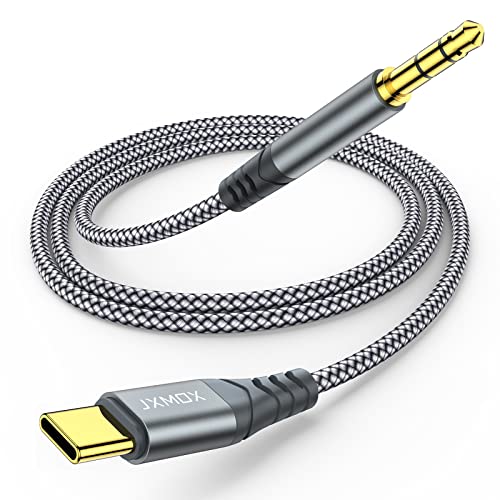
This 4‑foot USB‑C to 3.5mm cable emphasizes multi‑device convenience. It pairs a DAC Smart Chip for improved fidelity with a nylon braided, reinforced build for durability. Best for: frequent travelers or position‑specific listening where cable length matters. Limitation: The DAC benefits may vary with microphone‑only devices or headsets not supporting the full DAC range on some phones.
JSAUX USB C To 3.5mm AUX Audio Adapter

This compact dongle focuses on broad compatibility and inline control. It supports call, volume, and playback controls on compatible headsets. Best for: users who want a small, portable adapter with inline functions. Cautions: Microphone functionality may not work with certain EarPods‑style setups, and some cameras or adapters may report limited mic support on specific devices.
UGREEN USB C To Aux Type C To 3.5mm Audio Adapter Male Cable

This is a longer, 3.3‑foot USB‑C to 3.5mm cable focused on durability and stable sound. It employs a DAC to deliver up to high‑resolution audio and uses a robust aluminum shell to resist corrosion. Best for: users who want a sturdy, longer option for car or desk setups. Limitation: AirPods Max and some microphone‑heavy devices may not fully support all features.
UGREEN USB C To AUX Cable Adapter Hi‑Res 32bit/384kHz

This adapter emphasizes hi‑res audio with a DAC that supports up to 384kHz/32bit. It delivers clear highs and a strong low end for discerning listeners. Best for: audiophiles who want the most fidelity from USB‑C devices while keeping a simple, plug‑and‑play setup. Limitation: Some devices may limit DAC capability when using certain apps or software configurations.
UGREEN USB C To Aux Cable Adapter 3.5mm Male
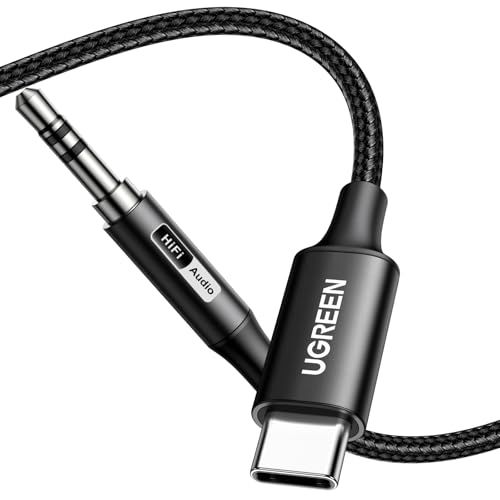
This adapter uses a built‑in DAC for Hi‑Fi sound up to 384kHz/32bit. It emphasizes durability with a nylon braided jacket and reinforced joints. Best for: users who want a premium, long‑lasting cable with detailed sound. Limitation: Not compatible with AirPods Max in some configurations; check device compatibility for mic and control support.
Buying Guide: Key Purchase Considerations
What should you check when choosing a USB‑C to 3.5mm DAC adapter? DAC quality, sampling rate, and bit depth determine fidelity. Look for devices that advertise 24bit/96kHz or higher for better dynamic range. Also consider build durability, including braided cables and metal housings for daily use.
Should you prioritize inline controls? If you often pause, skip tracks, or answer calls with headphones, inline control support adds convenience. However, some headsets may not fully support mic or volume controls across all adapters, so verify with your device and headset model.
Is length important? For car or desk setups, longer cables reduce strain and improve placement options. If you travel, a compact adapter minimizes bulk. Some customers prefer dual‑purpose dongles that also support calling, while others want a simple DAC‑only connector.
Compatibility and ecosystem considerations: not all USB‑C devices support full DAC performance or microphone features with every adapter. Apple devices, some Android phones, and Windows laptops may behave differently. When possible, choose adapters with explicitly stated compatibility notes and known working pairings for your devices.
Wired versus wireless: a USB‑C to 3.5mm DAC adapter is a plug‑and‑play wired solution. If you frequently juggle multiple audio sources, ensure the adapter supports multiple types of 3.5mm jacks and recognizes both headphones and speakers in your setup.
Frequently Asked Questions
- Do USB‑C to 3.5mm DAC adapters require drivers? No. Most operate plug‑and‑play without additional software.
- Is higher sampling rate always better? Generally yes for fidelity, but the improvement depends on the DAC and your headphones.
- Will these adapters work with iPad or MacBook? Many do, but check device compatibility and port specifications first.
- Can I use a USB‑C to 3.5mm adapter to connect to car stereos? Yes, many users do this for enhanced car audio quality.
- Do inline controls work with all headsets? Not always; some combinations may not support microphone or volume control functions.
- What is the main trade‑off? You trade a small amount of portability for improved sound quality and compatibility with older audio gear.