Best USB Clip-on Microphones for Clear on-the-Go Audio
Find the right USB clip-on microphone for your recording, conferencing, or streaming needs. This guide highlights five reliable options, each suited to different creators—from casual YouTubers to busy professionals. Read on to see who each mic is best for, plus practical trade-offs to help you choose.
| Product | Best For | Why It Stands Out |
|---|---|---|
| MAONO AU-UL10 | Beginners and classroom recording | High sample rate (192kHz/24-bit) and plug-and-play USB make setup quick. |
| Movo M1 | Video creators needing mobility | Long 20-foot cord offers ample range for tutorials and streaming. |
| GoorDik USB C Wireless | Content creators on Android and PC | Active denoise and wireless flexibility with USB-C. |
| ZAFFIRO USB Lavalier | Multi-device setups | Plug-and-play with broad USB compatibility and built-in noise suppression. |
| DUNGZDUZ USB-C Lavalier | USB-C devices and hybrids | Dual USB-C/USB-A, 24-bit/96kHz for clear voice capture. |
MAONO USB Lavalier Microphone AU-UL10
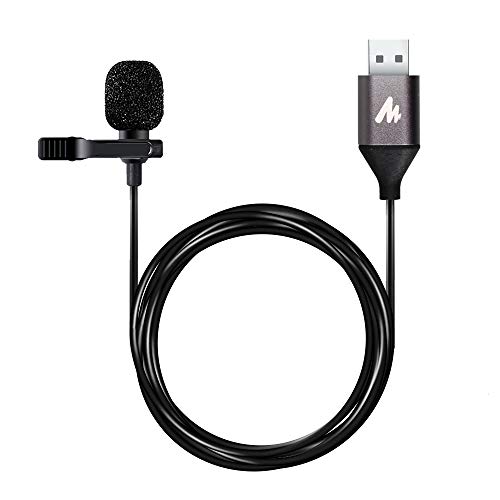
The MAONO AU-UL10 is a compact USB lavalier with plug-and-play simplicity. It supports 192kHz/24-bit recording, featuring a sensitive mic head, metal clip, and a USB interface with a built-in high-class chip for reliable performance. Best for: students, professionals, and creators who need quick, reliable audio without extra setup. Why chosen: strong baseline sound quality and broad compatibility with Windows, Mac, and other USB 2.0 devices. Limitation: designed for close-mic use; distant talks may require closer placement.
Movo M1 USB Lavalier Lapel Mic

The Movo M1 focuses on professional-grade audio with an omnidirectional pickup pattern. It requires no software and is ideal for YouTubers, streamers, and podcasters who want easy setup plus dependable sound for tutorials, webinars, and interviews. Best for: creators who value quick start and consistent performance. Why chosen: long-running reliability and a generous 20-foot cord for flexible recording positions. Limitation: lacks advanced onboard noise reduction, so noise in very loud environments may be more noticeable.
GoorDik USB C Lavalier Wireless Microphone

The GoorDik wireless lavalier uses USB-C with an intuitive interface and active denoise to reduce background noise. It includes windscreen muffs and extra foam covers, making it well-suited for outdoor shoots, vlogs, and mobile streaming. Best for: Android and PC users who need mobility and built-in noise handling. Why chosen: wireless operation adds freedom of movement; the denoise options help maintain clarity in diverse environments. Limitation: battery life can limit long shoots without planning charging breaks.
ZAFFIRO USB Lavalier Microphone
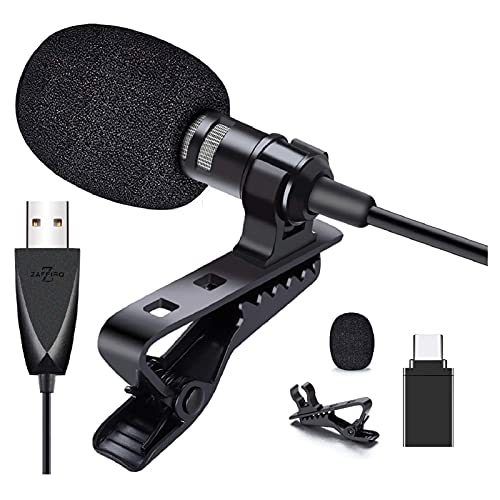
The ZAFFIRO USB lavalier offers omnidirectional pickup with built-in sound processing. It aims to deliver clear voice with reduced noise and supports high sampling and bit rates for crisp vocal detail. Best for: multi-brand setups needing reliable USB compatibility. Why chosen: strong noise cancellation and broad compatibility across PCs, Macs, PS4, and tablets. Limitation: some subcomputers with non-shielded sound cards may require manual adjustments for optimal results.
USB C Lavalier Microphone by DUNGZDUZ

The DUNGZDUZ USB-C lavalier is a versatile option that supports USB-C and USB-A connections, making it compatible with iPhone, Android, tablets, and computers. It uses a 24-bit/96kHz audio path to deliver clear voice capture with low noise. Best for: users who need flexible device compatibility in one mic. Why chosen: easy plug-and-play without drivers, broad compatibility, and a practical USB-C/USB-A adapter. Limitation: may not be ideal for very quiet rooms without proper gain adjustment.
Buying Guide: Key Considerations for USB Clip-On Mics
- Connectivity: Choose USB Type-A or USB-C based on your devices. Some mics include adapters for broader compatibility.
- Sound quality: Higher sampling rates (e.g., 192kHz/24-bit) can capture wider dynamic ranges, but practical benefits depend on your recording environment.
- Pickup pattern: Omnidirectional lavalier mics pick up sound from all directions; cardioid or directional mics can reduce side noise in busy rooms.
- Noise handling: Built-in noise cancellation or wind screens help in outdoor or windy settings.
- Mobility vs. tethered use: Wireless options offer freedom; longer cables provide flexibility for desk setups and shot framing.
- Device compatibility: Ensure compatibility with your computer, tablet, or phone, including any required adapters.
- Practical use case: For interviews, streaming, or meetings, consider how often you’ll move or need multiple participants in the frame.
- Limitations: Some mics require manual gain control or are sensitive to mic distance; plan placement accordingly.
Frequently Asked Questions
- What is a USB clip-on microphone best for?
It is ideal for on-camera recordings, video calls, podcasts, and streaming where a hands-free or easily portable mic is needed. - Do USB lavalier mics require drivers?
Most plug-and-play models do not require drivers and work with common operating systems, but always check compatibility. - Is omnidirectional better for interviews?
Omnidirectional mics capture sound from all directions, which can be helpful when multiple people are speaking close by, but may pick up more room noise. - How important is cord length?
A longer cord increases flexibility for on-camera setups, but can add clutter; choose length based on your typical shooting distance. - Can I use a USB-C lavalier with a Windows PC?
Yes, most USB-C lavaliers are compatible with Windows via USB-C or a suitable adapter; verify the specific product’s compatibility notes. - What’s a common limitation across budget USB lavaliers?
Some may have limited performance in noisy environments or require careful mic placement for optimal sound.
The listed options cover a range of common scenarios—from classroom and quick-recording setups to flexible, mobile podcasting and streaming. Use this guide to pick a USB clip-on microphone that aligns with your devices, environment, and preferred workflow.