
Best USB to 3.5mm Headset Adapters for PC, PS4/PS5 and More
If you need to add a 3.5mm audio jack to a USB-only device, a USB to 3.5mm headset adapter is the right solution. This guide highlights five reliable options that support both listening and speaking, cover CTIA/OMIP standards, and work across Windows, Mac, Linux, and gaming consoles. Ideal buyers include gamers, remote workers, students, and professionals who want a simple plug-and-play upgrade without internal hardware changes.
| Product | Brand |
|---|---|
| MOSWAG USB to 3.5mm Jack Audio Adapter External Stereo Sound Card | MOSWAG |
| USB Headphone Adapter, DUKABEL External Sound Card for PC, PS4, PS5-25CM | DUKABEL |
| UGREEN USB to 3.5mm Jack Audio Adapter Headphone DAC 24bit 96kHz | UGREEN |
| JSAUX USB to 3.5mm Jack Audio Adapter, Sound Card Support Mic TRRS | JSAUX |
| KAYQINHO 2 Pack USB to 3.5mm Audio Jack Adapter | KAYQINHO |
MOSWAG USB to 3.5mm Jack Audio Adapter External Stereo Sound Card

Best for: Windows and Mac users who need a simple, widely compatible USB sound card with integrated microphone input and audio out. This adapter supports CTIA and OMIP headsets and provides stable 16-bit/48kHz audio output with noise reduction. It is a good pick for home offices, classrooms, and basic gaming headsets. Caution: The 3.5mm microphone jack does not support TS or TRS connectors, so verify your mic plug matches TRRS.
DUKABEL USB Headphone Adapter, External Sound Card
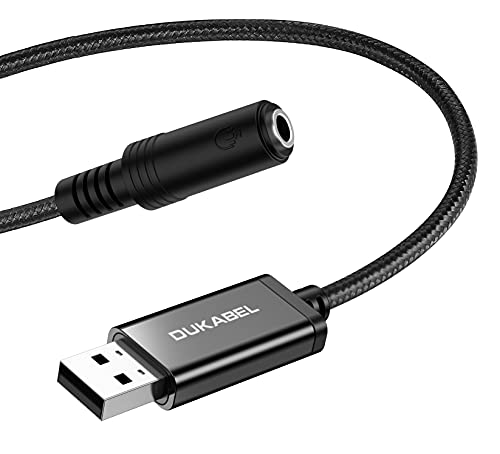
Best for: Users who want plug-and-play simplicity with broad compatibility and a compact form factor for desktops, laptops, and gaming consoles. This adapter enables both listening and speaking via a single USB connection, working across Windows, Mac OS X, Linux, and major consoles. Limitation: It does not work for some TVs or car audio systems, and setup requires no drivers.
UGREEN USB to 3.5mm Jack Audio Adapter Headphone DAC 24bit 96kHz

Best for: Gamers and media listeners who want higher-resolution audio with 24-bit/96kHz output and a durable aluminum shell. This adapter supports CTIA and OMIP headsets and includes in-line controls for easier mic use. Caution: Microphone support is limited to single-mic setups; the 24-bit capability applies to headphones, not the mic.
JSAUX USB to 3.5mm Jack Audio Adapter, Sound Card Support Mic TRRS

Best for: People who need a compact, portable solution for TRRS headsets on laptops or desktops. This model offers plug-and-play setup with 48KHz/16-bit audio and supports stereo listening plus microphone input. Limitation: The microphone functionality may not support certain Apple EarPods with 3.5mm plugs.
KAYQINHO 2 Pack USB to 3.5mm Audio Jack Adapter
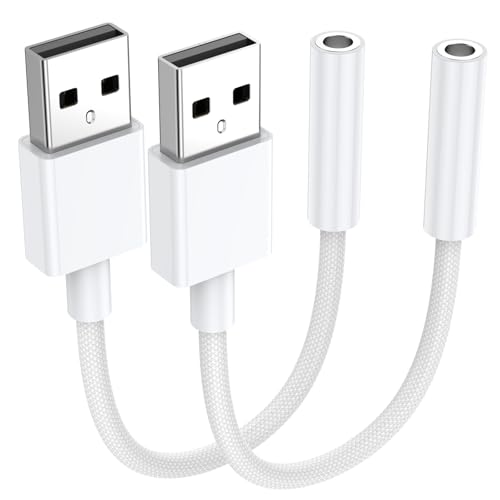
Best for: Buyers who want extra adapters for multiple devices or households. This two-pack provides flexibility for PCs, PS4/PS5, laptops, and Linux desktops. It uses a DAC smart chip for high-definition audio and noise reduction. Caution: Compatibility varies with some devices; verify TRRS compatibility before purchase.
MCSPER USB to 3.5mm Jack Audio Adapter

Best for: Users seeking a multi-function USB sound card with integrated mic support, designed for quick plug-and-play on Windows, Mac, and Linux systems. It emphasizes ease of use and general compatibility, with a focus on stable audio output and reduced interference.
Fidioto USB to 3.5mm Audio Jack Adapter

Best for: Those who want a shielded design to minimize electromagnetic interference and maximize stable audio performance. This adapter supports listening and speaking via a TRRS port and includes a smart chip for high-fidelity sound. Caution: It does not support TS or TRS connectors on the mic.
Buying Guide
What should you consider when choosing a USB to 3.5mm adapter?
- Compatibility: Ensure the adapter supports CTIA/OMIP headsets and your operating system (Windows, Mac, Linux, or ChromeOS).
- Audio quality: Look for DAC specifications (bit depth and sample rate) like 16-bit/48kHz or 24-bit/96kHz for higher fidelity, and note that microphone performance can differ from headphone audio quality.
- Microphone support: Some adapters only route audio out; others support both mic input and output via a TRRS connection. Verify mic compatibility with your headset.
- Power and drivers: Most devices are plug-and-play with no drivers; some may require minimal setup on certain systems.
- Build and durability: Aluminum shells and braided USB cables tend to offer better longevity and stability for frequent travel or desk setups.
- Form factor: Short cable or compact dongle options work well for gaming consoles and laptops, while longer cables can be easier to maneuver on a desktop.
FAQ
- Do USB to 3.5mm adapters work with gaming consoles? Yes, most work with PS4/PS5 and PCs, but compatibility can vary by model and system.
- Can I use these adapters for both mic and headphone on the same device? Many models support dual functions, but confirm TRRS compatibility for your mic and headset.
- Is a DAC necessary for good sound quality? A built-in DAC improves digital-to-analog conversion, but overall sound depends on the headset and system.
- Do these adapters require drivers? Most are plug-and-play with no driver installation required.
- Will the microphone be recognized immediately by the computer? In most cases, plug-and-play devices are recognized within seconds after connecting.
- Can the mic support high-definition audio? Some models support 24-bit/96kHz output for headphones; microphone specs may differ.