
Cheap audio recording devices can capture lectures, meetings, and interviews without requiring a phone app or complex setup. The EVIDA 128GB recorder is best for buyers prioritizing storage and selectable recording formats, while the 72GB Lymorvex model emphasizes long recording time and automatic saving. The 64GB Lymorvex is a better fit for users who want OTG file transfer. EVISTR and the 16GB recorder are alternatives to compare when basic playback and portable recording matter.
| Device | Best suited for | Listed standout |
|---|---|---|
| EVIDA 128GB recorder | Frequent recording and adjustable formats | Voice activation and playback |
| Lymorvex 64GB recorder | Mobile file management | OTG transfer and noise reduction |
| 16GB digital voice recorder | Buyers comparing a basic recorder | Playback and USB recharging in the product name |
| EVISTR 64GB recorder | Lectures, meetings, and interviews | Voice activation and USB/MP3 in the product name |
| Lymorvex 72GB recorder | Long sessions and high storage needs | Advertised 72-hour continuous recording |
EVIDA 128GB Voice Recorder

Best for: Students and professionals who record often and want substantial onboard storage. This EVIDA recorder lists 128GB of memory and up to 9,296 hours of storage, depending on recording settings. It also offers playback, password protection, and voice-activated recording.
The listing describes PCM recording at 1536Kbps and selectable MP3 settings of 128Kbps or 192Kbps, as well as WAV recording. Six voice-activation sensitivity levels are available to help reduce silent sections and capture speech. The manufacturer lists up to 54 hours of continuous recording per full battery.
Why it was selected: Its storage, playback, format choices, and activation settings make it a flexible option for different recording routines. Limitation: The maximum storage-hour figure depends on settings; buyers should not assume every recording will use the lowest-bitrate format.
Lymorvex 64GB Magnetic Recorder

Best for: People who want to move recordings to a phone or computer without relying exclusively on a computer setup. The product listing describes 64GB storage, voice activation, USB-C, and OTG direct transfer using an OTG adapter. It states compatibility with Android and Windows XP, 7, 8, and 10.
The listing also describes AI noise reduction using a DSP 4.0 chip and gives a storage estimate of up to 4,800 hours at 192Kbps. OTG transfer is intended for managing files on a smartphone, including renaming, sharing, or deleting them.
Why it was selected: Its listed transfer options distinguish it from recorders focused mainly on onboard storage. Limitation: Direct phone transfer requires an OTG adapter, and the stated phone compatibility is specifically described for Android.
16GB Digital Voice Recorder

Best for: Buyers comparing a compact, straightforward recorder for basic voice capture. The product name identifies 16GB of storage, playback, USB recharging, and a small recorder design. The provided listing information does not specify recording formats, battery runtime, microphone performance, or voice-activation settings.
Why it was selected: Its named playback and rechargeable design make it a relevant option for someone looking for a simple recording device rather than a feature-heavy model. Check the current listing for detailed specifications before choosing it for long sessions or a particular file-transfer workflow.
Limitation: The available product details are limited, so buyers cannot compare its recording quality or runtime from the supplied specifications alone.
EVISTR 64GB Digital Voice Recorder

Best for: Buyers seeking a 64GB recorder identified for lectures, meetings, and interviews. The product name lists playback, voice activation, USB, MP3, and a portable mini design. These features make it a candidate for people who want to record and listen back on the device.
Why it was selected: Its stated use cases and voice-activation feature align with common lecture and meeting recording needs. Its 64GB capacity also gives it a larger listed storage figure than the 16GB alternative in this group.
Limitation: The provided information does not give a recording bitrate, storage-hour estimate, battery runtime, or further compatibility details. Review the listing to confirm those specifications match your intended use.
Lymorvex 72GB Voice Recorder
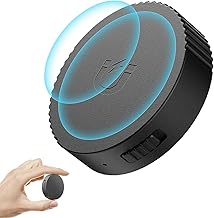
Best for: Users who need substantial storage and long recording sessions. The listing states 72GB of memory, up to 9,800 hours of audio at 192Kbps, and up to 72 hours of continuous recording on a charge. It also describes AI noise reduction and DSP 4.0 processing.
The recorder is listed with Type-C charging and automatic file saving when the battery is low. The manufacturer says a full charge takes two hours. Those details may be useful for people recording classes, interviews, or meetings where interruptions and battery management matter.
Why it was selected: Its stated continuous runtime and auto-save feature address long-session needs, while the memory capacity is among the largest in this comparison. Limitation: The storage-hour figure is tied to 192Kbps; actual usable time can vary with recording settings.
Buying Guide: How To Choose A Cheap Audio Recorder
A low-cost recorder should fit the way you plan to capture, store, and replay audio. Compare storage, battery runtime, recording controls, file transfer, and the conditions where you will use it. Product names and advertised capacity figures are helpful starting points, but they do not replace checking the detailed specification list for a particular use.
How much storage do you need?
Storage capacity matters most when you record frequently or keep files on the device for a long time. The products here list capacities from 16GB to 128GB. A larger capacity may let you retain more audio, but the actual number of hours depends on the chosen format and bitrate. For example, the EVIDA listing gives several format options, while the Lymorvex 72GB storage estimate is specified at 192Kbps.
Choose a capacity based on your recording schedule and how often you can transfer files. Occasional short notes may not require as much memory as daily lectures or repeated interviews. If you need a specific number of hours, check whether the estimate is tied to a particular recording quality.
Is voice activation useful for your recordings?
Voice activation can help reduce stretches of silence in a recording. It may be useful for lectures or meetings where speech comes and goes, but the microphone still needs to capture the speaker clearly. The EVIDA listing specifies six sensitivity levels. The EVISTR product name also identifies voice activation, while the Lymorvex models describe voice-activated recording.
For quiet speakers, distant speakers, or rooms with intermittent sound, consider whether the device provides adjustable sensitivity. The EVIDA listing advises setting a suitable voice-decibel level. Check the instructions before relying on activation for an important recording, because an unsuitable threshold may not capture every quiet utterance.
What recording quality and noise features matter?
Higher bitrates and lossless or less-compressed formats can use storage more quickly. The EVIDA recorder lists MP3 settings and WAV recording at 1536Kbps. The 64GB Lymorvex and 72GB Lymorvex models advertise AI noise reduction. These specifications describe features, not a guarantee that every voice will sound clear in every room.
For a lecture or interview, speaker distance, room noise, and microphone placement can affect intelligibility. If recordings need to be transcribed, look for settings that balance clarity and file size. Buyers who only need brief voice notes may prefer simpler settings, while users archiving important audio may want to compare the available formats carefully.
How will you transfer and play back files?
Check how recordings move from the device to your computer or phone. The Lymorvex 64GB listing describes OTG transfer to an Android phone using an OTG adapter, as well as specified Windows versions. The EVIDA product includes playback, and the EVISTR product name also identifies playback and USB. Do not assume a particular cable, adapter, or phone connection is included unless the listing confirms it.
On-device playback can be convenient for checking whether a recording worked. File transfer is important if you plan to edit, transcribe, share, or back up audio. Before buying, confirm that the file types and connection method suit your devices and workflow.
How much battery runtime is enough?
Match stated runtime to your longest expected session, then leave room for unexpected delays. The EVIDA listing states up to 54 hours of continuous recording, and the Lymorvex 72GB listing states up to 72 hours. These are manufacturer-provided maximum figures, not a promise of identical performance under every setting or condition.
For a full day of classes or interviews, charging options and automatic saving may matter as much as maximum runtime. The Lymorvex 72GB listing describes Type-C charging and auto-save when the battery is low. Check charging time, cable details, and operating instructions in the product information before depending on a recorder for a long event.
What should students and meeting attendees prioritize?
Students may prioritize easy playback, voice activation, and enough storage for regular classes. Professionals may care more about transferring files quickly, keeping recordings organized, or capturing long meetings. Journalists and interviewers should also consider microphone placement and whether the device offers the format and file-management features they need.
Choose the model around your main task rather than the largest advertised number. The EVIDA emphasizes storage and format flexibility; the 64GB Lymorvex emphasizes OTG transfer; and the 72GB Lymorvex highlights runtime and automatic saving. The other two listings are worth comparing if their named playback, USB, or portable design meets your basic needs.
Frequently Asked Questions
What is the best cheap audio recording device for lectures?
The best fit depends on your needs. The EVIDA recorder lists voice activation, playback, and multiple recording formats. The EVISTR model is identified for lectures and includes voice activation in its product name. Compare runtime, storage, and transfer details before choosing.
Does more storage always mean better recording quality?
No. Storage capacity describes how much audio a device can hold, while recording format and bitrate influence file size and recording settings. A high-capacity recorder can store more files, but capacity alone does not establish sound quality.
Can a voice-activated recorder miss quiet speech?
It can if its activation threshold is not suited to the speaker or room. The EVIDA listing provides multiple sensitivity levels. Set the threshold carefully and test the recorder in similar conditions before using it for an important session.
Can these recorders transfer files directly to a phone?
The Lymorvex 64GB listing describes OTG transfer to Android phones with an OTG adapter. The other supplied product details do not provide enough information to confirm direct phone transfer. Check each listing for device and adapter requirements.
How should I compare advertised recording-hour estimates?
Check the bitrate or format used for the estimate. A maximum number of hours is not necessarily available at every quality setting. Compare the stated recording settings, capacity, and continuous battery runtime separately.
Should I use a dedicated recorder or my phone?
A dedicated recorder may offer physical recording controls, onboard playback, or specified voice-activation features. A phone may be more convenient for file sharing, depending on its apps and settings. Choose based on your recording environment, storage workflow, and the features listed for the device.