
Best Headphone to Optical Cable Adapters for Clear Digital Audio
Answering the common need to connect headphones or speakers to optical (Toslink) sources, this guide highlights five practical adapters. These devices convert optical audio to a 3.5mm auxiliary signal, perfect for TVs, soundbars, or external DACs. Best for budget-friendly setups, mid-range home theaters, and users seeking straightforward, plug-and-play solutions. The following table summarizes each top pick and its best-use scenario to help you decide quickly.
| Product | Best For | Why It Stands Out |
|---|---|---|
| Tackston 192KHz DAC SPDIF Optical to 3.5mm AUX Speaker Audio Converter | TVs and optical-output devices needing high-quality PCM up to 192kHz | Supports 192kHz/24-bit, clear optical-to-AUX conversion with caution on volume control |
| 192KHz DAC Optical to 3.5mm Female Audio Converter (ESWN DNXB) | Entertainment systems requiring stereo 3.5mm output | High sampling rate support and PCM stability, user-set PCM/Stereo mode advised |
| LiNKFOR 3.5mm to SPDIF Converter | Converting 3.5mm to optical for amplifiers and soundbars | Preserves uncompressed 2-channel PCM, useful when optical input is required |
| 192KHz DAC Optical to 3.5mm Converter (QIMIAOUS) | Optical-to-AUX for personal listening with high fidelity | 192kHz/24-bit support, precise audio details, PCM mode guidance |
Tackston 192KHz DAC SPDIF Optical to 3.5mm AUX Speaker Audio Converter

The Tackston converter turns optical (TOSLINK) signals into a 3.5mm AUX output, suitable for connecting headphones or AUX-enabled speakers to an optical source. It supports sample rates up to 192kHz/24-bit, covering common high-fidelity formats. Best for home theater setups where an optical output from a TV or game console needs to feed a standard AUX input. A noted limitation is that volume control from a TV remote may not affect playback, requiring adjustments on the playback device itself.
192KHz DAC Optical to 3.5mm Female Audio Converter, ESWN DNXB
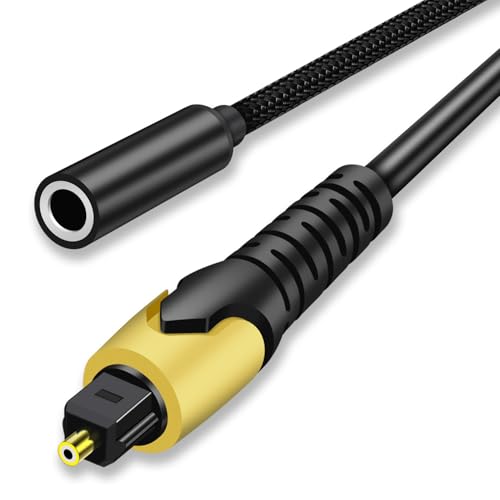
ESWN DNXB’s converter outputs 3.5mm AUX from an optical input, making it a strong pick for stereo listening setups that prefer unbroken digital fidelity. It supports 192kHz sampling and 24-bit data streams. It is not reversible (cannot transfer audio from 3.5mm to optical), so it’s best used when the source is optical and the destination is AUX. Pros include precise audio detail; note that configuring PCM or Stereo mode is recommended for best results, depending on the TV model.
LiNKFOR 3.5mm to SPDIF Converter

LiNKFOR offers a 3.5mm to SPDIF converter that translates analog 3.5mm audio into digital Toslink output. This model focuses on preserving two-channel PCM; it is not a full digital-to-analog converter, so it should be used when the goal is to feed a Toslink input with uncompressed 2-channel PCM. Best for users who need an optical digital feed from an analog source. A limitation is that it does not convert digital to analog in the opposite direction.
192KHz DAC Optical to 3.5mm Converter, QIMIAOUS

QIMIAOUS provides another optical-to-AUX option with 192kHz/24-bit support and a clear emphasis on PCM/Stereo mode. It reiterates that the conversion is one-way—from optical to 3.5mm—and includes setup guidance for various TV brands. Choose this if you want detailed audio reproduction and a straightforward, no-fruss setup. A potential drawback is the need to adjust the TV’s audio output format to PCM for compatibility with some devices.
Buying Guide
What should you consider when selecting an optical-to-AUX adapter?
- Input vs. output direction: Most units are optical-to-aux only; ensure you don’t need reverse functionality.
- Supported sample rates and bit depth: Look for 192kHz/24-bit support for higher fidelity, especially for music or high-quality video audio.
- Device compatibility: Some TVs require PCM or Stereo output; check your TV’s audio settings (e.g., PCM or Digital Sound Output).
- Volume control: Some adapters do not pass remote volume control; plan to adjust volume on the playback device.
- Ease of use: Plug-and-play convenience, cable length, and build quality affect daily use.
- Future-proofing: If you plan to upgrade audio gear, choose a model that supports current PCM formats widely used by your devices.
Practical Comparisons
- Best for high-fidelity TVs: Tackston, ESWN DNXB, and QIMIAOUS all offer up to 192kHz/24-bit for detailed sound reproduction.
- Best for integrated soundbars or amplifiers: LiNKFOR’s optical-to-SPDIF conversion covers standard two-channel PCM needs in a compact form.
- Best value option: Each model provides a straightforward optical-to-aux path, but user guidance on PCM settings varies by brand; follow the included setup tips for your TV.
FAQ
- Can I use these adapters to transfer audio from 3.5mm to optical?
Most listed adapters are one-way (optical to AUX). They cannot convert from 3.5mm to optical.
- Will volume be controllable from my TV remote?
In many cases, TV remotes won’t adjust the volume when using optical-to-aux adapters. Adjust on the output device instead.
- What setup steps are recommended for TVs?
Set audio output to PCM or Stereo mode before use, and ensure the TV’s digital output is configured to match the adapter’s input expectations.
- Do these devices support 192kHz/24-bit audio?
Yes, several models advertise 192kHz/24-bit support, suitable for high-quality audio streams.
- Are these adapters compatible with all 3.5mm headphones?
They are compatible with standard 3.5mm AUX devices, but the effective output depends on the source and the connected headphones or speakers.