
Best Picks for Popular Studio Monitor Accessories and Setup
Finding the right accessories for studio monitors helps ensure accurate sound, secure placement, and consistent performance. This guide highlights five popular options designed for studio environments, including isolation pads and control centers that suit home studios, podcasters, and small recording setups. Each product is evaluated for who it’s best for, along with practical pros and simple cautions to consider when building or upgrading your monitoring chain.
| Product | Best For | Why It’s Notable |
|---|---|---|
| PreSonus MONITO STAT V2 | Small studios, multi-source monitoring | Versatile input/output routing with multiple sources and cue controls. |
| Sound Addicted SMPad 5 | Budget-conscious acoustic treatment | High-density foam pads that dampen desk vibrations and refine imaging. |
| YUEHISY Studio Monitor Isolation Pads | Standard 5-inch monitors | Two-component design with multiple angle configurations for better listening height. |
| Sanpyl Studio Monitor Isolation Pads | Professional home studios | High-density foam with adjustable angles for precise speaker aiming. |
| Phefop Studio Monitor Isolation Pads | Wide monitor compatibility | Adjustable angles and a universal fit for many popular monitor brands. |
PreSonus MONITO STAT V2 Desktop Studio Control Center

Best for: Small studios needing flexible monitoring with multiple inputs and cue control. The MONITO STAT V2 supports four stereo input pairs plus S/PDIF into three selectable sources and three stereo outputs, with level controls and a dedicated cue section. This makes it suitable for project studios that juggle multiple computer, mixer, or playback sources without extra hardware.
Why selected: It consolidates monitoring and source management in one compact unit, reducing desk clutter and improving listening workflow. The device’s configurable outputs help tailor the listening environment for different mixing tasks. A potential limitation is the need to manage several sources through a single control surface, which may require a short learning curve for newcomers.
Sound Addicted Studio Monitor Isolation Pads For 5 Inch Monitors

Best for: Budget-conscious setups seeking basic vibration isolation and stable speaker placement. These pads are designed to fit most five-inch monitors, providing dampening to reduce desk resonance and improve stereo imaging.
Why selected: The two-pad pair helps keep each monitor steady while minimizing desk transfer, a common source of muddy lows or smeared imaging in small rooms. Caution: The foam density is mid-range, so heavy monitors in very lively rooms may still benefit from additional wall or ceiling treatment for optimal results.
YUEHISY Studio Monitor Isolation Pads (2 Pack)

Best for: Monitors around the standard 5-inch driver size that need flexible angle positioning. The two-component design supports five angle configurations for tailored listening height and tilt.
Why selected: The configuration versatility helps align monitors with ear level and preferred listening angles, which improves imaging and bass response. Limitation: As with many foam pads, long-term durability depends on room conditions and frequency of use; check for wear over time.
Sanpyl Studio Monitor Isolation Pads (2 Pack)
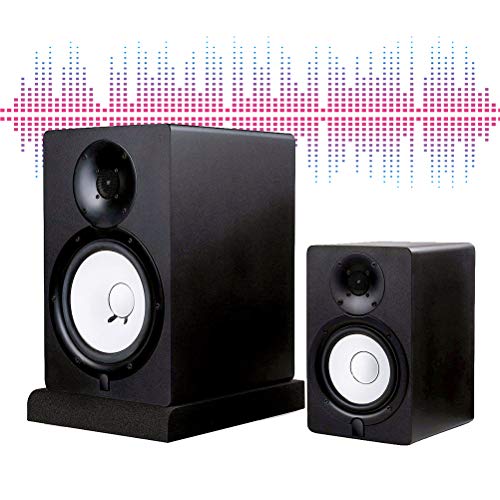
Best for: Home studios seeking robust vibration damping with multiple angle options. These pads provide five angle positions to aim the monitors toward the listening position precisely.
Why selected: The two-component design allows adapters to adjust tilt, helping reduce desk reflections and improve stereo balance. Caution: Foam density and wear should be monitored if monitors are frequently moved or subjected to heavy daily use.
Phefop Studio Monitor Isolation Pads
Best for: Broad monitor compatibility and adjustable angle configurations. The pads are designed to fit a wide range of popular monitor brands with a universal stance to optimize listening position.
Why selected: The universal design and adjustable angles help ensure that different monitor sizes can be aimed accurately at the ears, improving imaging and reducing desk reflections. Limitation: As with other foam-based pads, the longevity depends on room conditions and frequent movement of monitors.
Buying Guide: Key Purchase Considerations
- Monitor size and driver type: Choose isolation pads that match your monitor’s size (commonly 4–6 inches for many nearfield monitors). This ensures stable support and effective vibration isolation.
- Angle flexibility: If you mix desks or seating positions, look for pads offering multiple angle configurations to aim the sound toward your ears precisely.
- Room treatment synergy: Isolation pads help, but consider complementary room treatment (acoustic panels, bass traps) to reduce reflections and improve accuracy across a typical listening room.
- Durability and material: Higher-density foam lasts longer and dampens vibrations better, but verify weight capacity and surface compatibility with your desk or stand.
- Compatibility and fit: Check pad dimensions and compatibility with your monitor brand and model to avoid a poor fit or unstable setup.
FAQ
- What are monitor isolation pads? They are foam or rubber cushions placed under speakers to reduce desk vibrations and improve imaging.
- Do I need isolation pads for bookshelf speakers? If your speakers transmit desk vibrations or rest on a reflective surface, isolation pads can help improve clarity.
- Can isolation pads replace room treatment? No. Pads help with nearfield monitoring, but proper room treatment improves overall acoustics and image stability.
- How many angle options should I expect? Many pads offer 3–5 angle configurations to tailor tilt and height for your listening position.
- Are these compatible with all monitors? Most pads fit standard 4–6 inch monitors; verify model fit and weight rating before purchase.
- Should I buy pads in pairs? Yes. Using matched pads under each speaker helps maintain balanced imaging and prevents tilt skew.