
For making music on a Mac, MixPad and FL Studio Producer Edition are the two software products in this list. MixPad is suited to mixing audio, music, and voice tracks; FL Studio is a better fit for multitrack recording, MIDI, and live performance. The other three listings are books about Apple hardware or Creator Studio, not studio apps. They may help buyers learn, but they do not provide music-production software.
| Product | Type | Best For |
|---|---|---|
| MixPad Free Multitrack Recording Studio | Music software download | Mixing audio, music, and voice tracks |
| FL Studio 20 Producer Edition | Music-production software | Multitrack recording, MIDI, and live performance |
| Apple Creator Studio User Guide 2026–2027 | Paperback guide | Readers exploring Apple Creator Studio workflows |
| Mac Studio User Guide for Seniors | Paperback guide | Beginners seeking a Mac Studio setup guide |
| Mac Studio User Guide | Hardcover guide | Beginners seeking step-by-step Mac Studio instructions |
MixPad Free Multitrack Recording Studio

Best for: Mac users looking for a multitrack mixing tool for audio, music, and voice recordings. The listing describes MixPad as a downloadable studio program with track editing and effects tools.
Its stated features include creating mixes from audio, music, and voice tracks, customizing tracks with effects, and using tools such as Beat Maker and MIDI Creator. Those functions make it a relevant choice for users who want to combine recorded material and work with rhythm or MIDI tools in one application.
Why it was selected: It is one of the two listed products that is actual music-production software, rather than a book about a computer or software workflow. It is the more directly described option for users focused on mixing different kinds of tracks.
Limitation: The product information provided does not specify detailed Mac system requirements, supported file formats, or the scope of included effects. Confirm those details before downloading. Choose this if its listed mixing and track tools match your workflow; avoid assuming it includes features not stated in the listing.
Image Line FL Studio 20 Producer Edition

Best for: Music creators who need audio recording and MIDI multitrack recording, or who plan to use the software for live music performance. The listing identifies Mac and Windows support.
FL Studio 20 Producer Edition is a better fit than MixPad when the stated priorities are recording audio and MIDI in multiple tracks or performing live. Its listed capabilities make it relevant to a broader music-production workflow, while the MixPad description emphasizes mixing audio, music, and voice tracks, along with Beat Maker and MIDI Creator tools.
Why it was selected: It is a music-production software listing with explicit references to recording, MIDI, multiple tracks, and live performance. Those details help buyers compare it with a mixing-focused app.
Limitation: The supplied product details do not explain installation steps, specific Mac requirements, included instruments, or the exact live-performance setup. Check the current product information for those details before choosing. Select it if its stated recording and performance features fit your needs.
Apple Creator Studio User Guide 2026–2027

Best for: Readers looking for a practical guide to Apple Creator Studio subscriptions, app choices, AI tools, and connected workflows. The title identifies those topics as the book’s focus.
This is a paperback guide, not a Mac studio app or music-production download. It may be relevant to someone researching Apple’s creative software ecosystem or trying to understand how subscription choices and workflows relate. The listed title signals a broader guide to apps and tools rather than a dedicated audio-mixing manual.
Why it was selected: The keyword can refer to studio software and Apple’s creative environment. This guide is the closest listed book to a software-selection and workflow topic, so it may complement—but cannot replace—a studio application.
Limitation: The listing information provided does not describe individual chapters, app compatibility, or whether the book covers any specific music-production program. Choose it for the stated Creator Studio topics, not as a substitute for downloadable software.
Mac Studio User Guide for Seniors

Best for: Beginners and seniors who want a step-by-step book about setting up and using a Mac Studio. The title presents it as a beginner-oriented manual and mentions an AI desktop, an M4 chip, macOS Sequoia, and Apple Intelligence.
This paperback is a hardware and operating-system guide, not an app for recording or mixing music. It may suit a reader who needs help getting oriented with a Mac Studio before selecting or using creative software. Its stated focus is general setup and use rather than a particular studio application.
Why it was selected: It is relevant to buyers searching for a studio setup on a Mac and to people who may need basic computer guidance before using production software.
Limitation: The supplied information does not list specific lessons or confirm coverage of audio recording apps. It also does not establish that every topic applies to every Mac model. Choose it for the stated beginner guide focus, not for music-production software.
Mac Studio User Guide
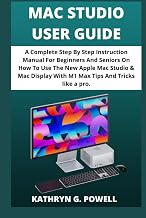
Best for: Beginners and seniors who prefer a hardcover instruction manual about using a Mac Studio and Mac display. The title describes step-by-step instructions and tips for those Apple devices.
Like the other Mac Studio book, this is not a studio app. It may be useful to buyers who want guidance with the computer itself before installing or learning creative software. The listing’s title specifically mentions the Mac Studio and Mac display, with a focus on beginner instruction.
Why it was selected: It addresses the Mac Studio side of the search phrase and provides a reference option for readers who want device-level guidance rather than an app download.
Limitation: The product details provided do not specify the book’s full contents or whether its instructions apply to later hardware and software versions. Check the edition’s coverage against your device before relying on it. Avoid choosing it if you are looking specifically for recording or mixing software.
Buying Guide: How to Choose a Studio App for Mac
Do you need an app or a computer guide?
Start by identifying what you want to buy. A studio app is software used to record, arrange, edit, or mix audio. A Mac Studio guide is a book about using Apple hardware or software workflows. In this product list, MixPad and FL Studio are the music software options. The other three items are books, so they do not perform recording or mixing tasks.
If you already own a Mac and want to make music, compare the two software listings first. If you are new to the computer and need setup instructions, a guide may be relevant as a separate purchase. Do not treat a Mac Studio manual as an alternative to a music app.
Should you choose MixPad or FL Studio?
Choose MixPad if you want to combine audio, music, and voice tracks and value the listed effects, Beat Maker, and MIDI Creator tools. Its description puts track mixing and customization at the center of the product.
Choose FL Studio 20 Producer Edition if audio and MIDI multitrack recording or live music performance are priorities. The listing names those functions and identifies Mac and Windows support. The information provided is not detailed enough to compare every feature or workflow, so match the stated capabilities to your needs and confirm the current software details before purchase.
What should Mac users check before downloading?
- Operating-system requirements: Confirm that the version offered supports your Mac and macOS release. The supplied product information does not provide complete system requirements.
- Download and installation details: Review how the software is delivered and installed. The MixPad listing identifies a download, while the supplied FL Studio details do not explain the installation process.
- Recording needs: Decide whether you need to record audio, work with MIDI, mix existing tracks, or perform live. Compare those needs with the features actually stated in each listing.
- Workflow and tools: Consider whether track effects, Beat Maker, MIDI Creator, or multitrack recording are relevant to the way you plan to create.
- Book edition and coverage: If buying a guide, verify its stated device and software coverage. A book’s title alone does not establish compatibility with your exact Mac.
Which option is better for a beginner?
The product descriptions do not provide enough detail to declare one app easier for every beginner. A buyer who mainly wants to combine recordings can compare MixPad’s listed mixing tools with their intended task. A buyer focused on multitrack audio and MIDI recording can consider FL Studio’s stated capabilities. Beginners should also check the current documentation and system requirements before selecting either program.
The books may help with general Mac Studio use, but they are not identified as tutorials for MixPad or FL Studio. For app-specific learning, check whether the software publisher provides instructions for the exact version you plan to use.
Are these products specifically for Apple Mac Studio?
FL Studio’s listing says Mac and Windows, but the supplied information does not identify a particular Mac model requirement. The MixPad features supplied describe the software but do not specify supported Mac models. The three books address Apple Creator Studio or Mac Studio topics, but they are printed guides, not applications. Confirm hardware and operating-system support directly in the current software details.
Frequently Asked Questions
What is the best studio app for Mac in this list?
MixPad and FL Studio are the two listed music applications. MixPad is best matched to mixing audio, music, and voice tracks; FL Studio is better matched to audio and MIDI multitrack recording and live performance.
Is MixPad a Mac download?
The product is listed as a software download, but the supplied details do not state its complete Mac system requirements. Confirm Mac compatibility and supported macOS versions before downloading.
Does FL Studio 20 Producer Edition support Mac?
The supplied listing identifies Mac and Windows support. It does not provide specific Mac hardware or operating-system requirements, so check those details before installation.
Are the Mac Studio user guides studio apps?
No. They are books about using or setting up Mac Studio hardware. They do not replace music-production software such as MixPad or FL Studio.
Which product is for MIDI work?
Both software descriptions mention MIDI-related capabilities. MixPad lists a MIDI Creator tool, while FL Studio lists MIDI multitrack recording. The right choice depends on the workflow you need.
Should I buy a guide or music software first?
Buy software if your immediate goal is to record or mix music. Consider a guide if you need help with the Mac Studio or want the topics stated in a book’s listing. Verify that the guide covers your device and that the software supports your Mac.