Best Audio Editing Software for Podcasts and Music
When choosing audio editing software for podcasts or music, pick tools that fit your workflow, computerOS, and desired output quality. This guide highlights five versatile options, showing who each product suits best and where to watch for limits or caveats. The top picks range from beginner-friendly editors to professional-grade workstations, helping both new podcasters and seasoned editors make an informed choice.
| Product | Best For | Why It Stands Out |
|---|---|---|
| WavePad Audio Editing Software | Podcasters and home studios | Wide format support, practical effects, and affordable entry to mid-level editing. |
| Digital Audio Workstation USB (LMMS) | Beat producers and multi-instrument composers | Full DAW with instruments, MIDI tools, and VST support for Windows and macOS. |
| Podcast Equipment Bundle | New podcasters and on-the-go creators | Integrated hardware and software for studio-quality voice capture and live streaming. |
| SOUND FORGE Audio Studio 16 | Editing, restoration, and mastering | All-in-one solution with modernEQ and modernReverb for polished results. |
| Music Studio 12 | Music editing and mixing on Windows | Comprehensive editing, conversion, and mixing with precise controls. |
WavePad Audio Editing Software
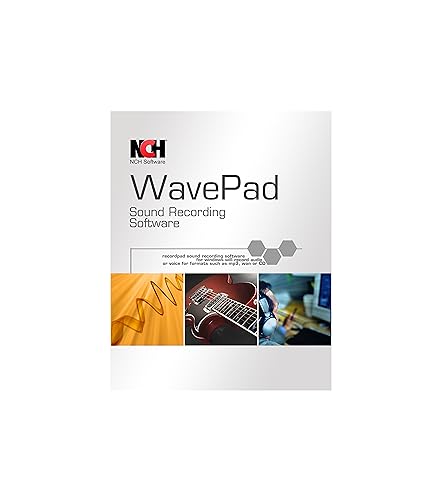
WavePad is a full-featured editor ideal for both recording and editing music, voice, and other audio. It supports popular formats such as WAV, MP3, VOX, GSM, WMA, AU, AIF, FLAC, and OGG. The software offers effects like echo, reverb, normalization, equalization, and noise reduction. It’s a practical choice for home studios and freelance editors who need reliable, straightforward editing with broad format compatibility.
Best for: Podcasters and musicians who want a capable editor at a reasonable price without a steep learning curve. Choose this if you value a robust set of effects and broad format support in one package.
Caution: Some advanced features may be less intuitive for absolute beginners; installation or setup can vary by OS, so follow the official guide for best results.
Digital Audio Workstation USB (LMMS)

This Digital Audio Workstation provides a complete music production suite with LMMS, designed for Windows and macOS. It includes virtual instruments, synthesizers, effects, MIDI tools, and VST plugin support. The bootable USB setup makes it convenient for creators who want a portable, ready-to-run environment for music production and beat making.
Best for: Producers who need a full DAW experience with instrument options and MIDI workflow, especially on multiple platforms. Better for users who want a bootable, portable system without a complex install.
Caution: The interface may feel less polished for those who are used to higher-end DAWs; not every premium feature found in top-tier programs is included, which can affect workflow for some professionals.
Podcast Equipment Bundle

This bundle centers on studio-grade sound quality with a smart noise reduction system and 360° omnidirectional capture. It features a dual-microphone setup with anti-vibration arms and a USB-C interface for USB connection to PC or mobile devices. The included DSP processing supports real-time optimization, which is advantageous for live streams and recorded episodes alike.
Best for: New and mid-level podcasters seeking a turnkey setup that improves vocal clarity and stream quality. Choose this if you want ready-to-use hardware with software-friendly controls for real-time adjustments.
Caution: The bundle emphasizes vocal capture; it may not offer the same level of advanced editing features as desktop software-only solutions.
SOUND FORGE Audio Studio 16
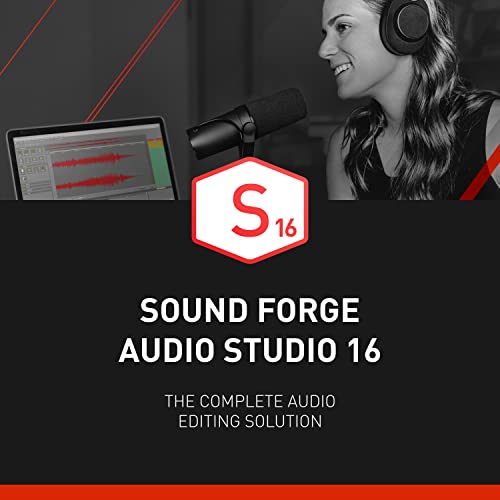
SOUND FORGE Audio Studio 16 is an all-in-one editor for recording, editing, restoration, and mastering. It introduces modernEQ and modernReverb, enabling refined, professional-sounding results. This option suits editors who require precise control over dynamics, filtering, and high-quality mastering within a single application.
Best for: Editors focused on precise mastering and restoration, where a streamlined workflow with robust effects is essential. Choose this if you prioritize polished final mixes and professional-sounding reductions or enhancements.
Caution: The software targets users who need strong mastering capabilities; beginners may find the suite’s depth challenging without time to learn the tools.
Music Studio 12
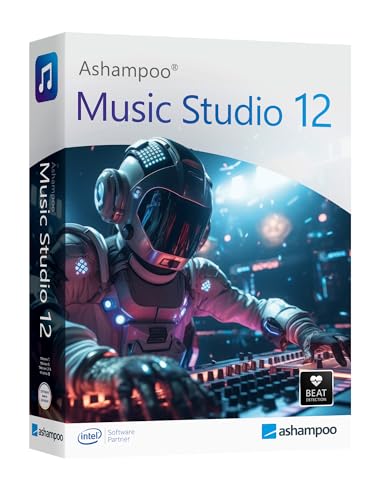
Music Studio 12 delivers editing, conversion, and mixing for Windows 11 and 10. It emphasizes precision and comfort in music production, with features designed for editing and arranging audio clips, suitable for projects that require organized workflow and clear playback control.
Best for: Musicians and editors who work primarily on Windows and want a stable, all-in-one suite for editing and mixing. Choose this if you value a dedicated Windows-focused interface with straightforward project management.
Caution: As a Windows-focused product, users on macOS may need alternative solutions or workarounds for full compatibility.
Buying Guide
What should you consider when choosing software for podcasts and music editing?
- Operating System: Ensure compatibility with Windows or macOS, or both if you switch devices often.
- Editing Needs: Decide whether you need basic editing, advanced mastering, or full production capabilities.
- Format Support: Look for broad format compatibility if you work with diverse audio sources.
- Hardware Integration: If you record with microphones or audio interfaces, consider bundles or DAWs that support USB-C or other connections.
- Learning Curve: Some packages offer quick setups, while others require time to master advanced features.
Comparison at a glance helps buyers pick the best fit: for quick podcast edits and straightforward effects, WavePad or the Podcast Bundle are strong. For music production and MIDI, LMMS offers a robust DAW experience. For mastering and restoration, SOUND FORGE Audio Studio 16 provides advanced tools, while Music Studio 12 offers a Windows-focused all-in-one workflow.
FAQ
- Q: Which software is best for beginners in podcast editing?
A: WavePad and the Podcast Equipment Bundle are approachable for newcomers due to straightforward interfaces and integrated hardware options. - Q: Do these programs support high-end mastering?
A: SOUND FORGE Audio Studio 16 provides strong mastering tools, while WavePad offers essential effects that cover mid-level mastering needs. - Q: Is LMMS suitable for non-musical podcast editing?
A: LMMS is primarily a music production suite, but it can handle basic editing and arrangement tasks in podcast workflows if you require MIDI and virtual instruments. - Q: Can I use these on both Windows and Mac?
A: LMMS supports Windows and macOS. WavePad and others vary; check each product’s system requirements for cross-platform compatibility. - Q: Are there price considerations I should know?
A: This guide avoids price specifics; evaluate value based on your editing needs, included features, and hardware requirements.